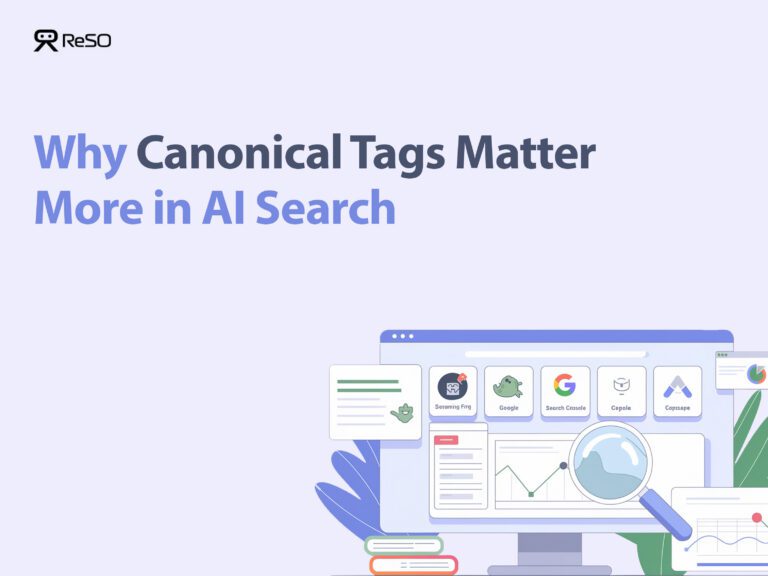



In traditional search, duplicate content used to dilute rankings. However, in AI search, it affects something more critical: source selection. When the same content exists across multiple URLs, AI systems don’t evaluate each version independently. They group them and choose one document to trust.
That choice determines visibility. If an alternate URL, parameter version, syndicated copy, or scraped page is treated as the primary source, your intended page may never be considered for the answer.
Canonical tags clarify which URL represents the original and authoritative version. In a single-source environment, canonicalization is not just technical hygiene. It defines which page AI systems recognize as the source worth citing.
Why Does Duplicate Content Affect AI Search Differently?
Duplicate content has always been an SEO issue, but its impact is far more severe in AI Search Optimization (AISO). The fundamental difference lies in how traditional search engines and AI systems handle content that appears in more than one place.
Traditional SEO Impact
When Google finds duplicate pages, it results in ranking dilution. One version might rank on page two, another on page four, splitting authority. While not ideal, your content might still be discoverable somewhere on the SERP.
AI Search Impact
AI systems like Google’s AI Overviews operate on a principle of binary source selection. To generate a confident answer, the AI must choose a single, authoritative document from a “cluster” of duplicates to ground its response. It doesn’t show multiple versions. If your canonical signals are weak or incorrect, the AI may select a competitor’s scraped version, a syndicated copy, or an undesirable parameter-based URL as the source.
When this happens, your authoritative page isn’t just demoted, it’s effectively erased from that AI-generated answer, becoming invisible to users receiving the AI summary.
How Do You Audit and Fix Duplicate Content for AI Search?
This process has five phases, from discovery to validation. Follow these steps sequentially to ensure no duplicates are missed.
Phase 1: Find Internal Duplicate Content
First, identify all instances of duplicate content within your own domain.
Step 1: Crawl Your Website
Launch Screaming Frog and run a full crawl of your domain to create a complete inventory of all accessible pages and their metadata.
Step 2: Analyze Duplicate Metadata
Use Screaming Frog’s “Bulk Export” to export all page titles, meta descriptions, and H1 tags. Sort them in a spreadsheet to identify pages sharing identical or nearly identical text.
Step 3: Detect Near-Duplicate Content
Use Screaming Frog’s content duplication analysis, which fingerprints page content to identify pages with a high similarity score. This is crucial for finding pages that aren’t exact copies but are close enough to cause issues.
Step 4: Isolate URL Parameter Variations
Filter your crawl results for URLs sharing a base path but with added parameters (e.g., ?utm_source=, ?sessionid=). These often point to the same content and are a common source of duplication.
Step 5: Review Google Search Console Reports
In GSC, navigate to the Page Indexing report. Look for pages with the status “Duplicate, Google chose different canonical than the user.” This shows exactly where your intended canonical differs from Google’s choice. Also check the “Excluded” tab for pages flagged as duplicates.
Step 6: Check Bing Webmaster Tools
Review the Recommendations tab for warnings about “Too many pages with identical titles.”
Phase 2: Find External Duplicate Content
Next, discover where your content appears on other websites, which can confuse AI engines about the original source.
Step 1: Run a Batch Search
Use Copyscape Premium to upload your key URLs. The tool scans the web and reports external domains with identical or similar content.
Step 2: Identify Scrapers and Syndication
Distinguish between legitimate syndication partners and unauthorized scrapers. Legitimate partners should already be using a canonical tag that points back to your original article.
Step 3: Use Google Search Operators
Take a unique phrase from your article and search for it in quotation marks (e.g., “this is a unique phrase from my blog post”) to reveal all indexed pages containing that text.
Phase 3: Choose the Right Fix
With a complete list of duplicates, select the correct remediation method for each situation.
| Condition | Recommended Method | When to Use It |
|---|---|---|
| Multiple pages exist, but only one is the “master” version. | Canonical Tag | When duplicate pages must remain accessible, but you want to consolidate authority into a single URL. |
| A duplicate page is obsolete and should no longer be accessed. | 301 Redirect | To permanently forward users and crawlers from a duplicate URL to the canonical version, consolidating ranking signals. |
| A page needs to be accessible but should never appear in search. | noindex Directive | For internal search results, thank-you pages, or admin content with no search value. |
Phase 4: Implement Your Fixes
Step 1: Add Canonical Tags to Duplicate Pages
For each duplicate page, add a <link> tag in the <head> pointing to the authoritative version: <link rel=”canonical” href=”https://www.example.com/preferred-page” />. Most CMS platforms, like WordPress, provide a dedicated field for this.
Step 2: Add Self-Referencing Canonical Tags
Ensure authoritative pages also have a canonical tag pointing to themselves. This is a widely recommended best practice for strengthening canonicalization signals.
Step 3: Set Up 301 Redirects
For pages you’ve decided to consolidate, configure 301 redirects at the server level (e.g., redirect example.com/page?session=123 to example.com/page).
Step 4: Apply noindex Directives
For pages that should be excluded from search, add a meta robots tag: <meta name=”robots” content=”noindex” />.
Phase 5: Validate and Monitor Your Work
After implementation, verify that your changes have been correctly interpreted by search engines.
Step 1: Request Re-crawling
In GSC, use the URL Inspection tool to request re-indexing for your most important updated pages.
Step 2: Run a Validation Crawl
After one to two weeks, re-crawl your site with Screaming Frog. Check for canonicalization errors: no pages with multiple canonical tags, no canonicals pointing to 404 pages, and no circular canonical chains.
Step 3: Monitor AI Search Results
Track your most important keywords in AI-powered search. When an AI Overview appears, check whether the source citations reference your preferred canonical URL.
Step 4: Establish Ongoing Monitoring
Set up automated alerts to validate your sitemap, run periodic Copyscape checks on high-value content, and re-validate canonical tags to catch new issues before they impact AI visibility.
What Does Success Look Like?
Use this as a final validation checklist.
- Clean GSC Reports: No new “Duplicate, Google chose a different canonical than the user” warnings in the Page Indexing report.
- No Bing Warnings: The Recommendations tab is free of duplicate titles or content issues.
- Error-Free Validation Crawl: Zero canonicalization errors, no chains, circular references, or pointers to non-indexable pages.
- Correct AI Source Attribution: AI Overviews and generative AI answers cite your canonical URLs as the source.
- Functional Redirects: All 301 redirects resolve in a single hop to the correct final URL.
What Mistakes Should You Avoid?
Canonicalization is precise, and small mistakes can invalidate your efforts.
1. Using Multiple Canonical Tags on One Page
This often happens when a CMS plugin and a developer each add a canonical tag. Search engines will likely ignore both, leaving the page’s status ambiguous.
Prevention: Use only one method, either your CMS plugin or manual code; never both.
2. Creating Circular Canonicalization
Page A canonicalizes to Page B, and Page B canonicalizes back to Page A, creating an infinite loop. Both pages may be de-indexed. Therefore, always establish a clear, one-way canonical relationship.
3. Pointing a Canonical Tag to a Non-Indexable Page
A canonical pointing to a URL blocked by robots.txt, tagged noindex, or returning a 404 is a broken signal. You should verify the canonical target is live, returns 200 OK, and is indexable.
4. Using Relative URLs Instead of Absolute URLs
A canonical tag should contain the full URL, including https://. Relative paths can be misinterpreted by crawlers; standardize on absolute URLs for all canonical tags.
Quick Reference Checklist
- Discovery: Crawl site with Screaming Frog to find internal duplicates (metadata, content, parameters).
- External Audit: Use Copyscape or search operators to find external duplicates.
- GSC Review: Check Page Indexing reports for Google-identified conflicts.
- Strategy: Assign a remediation method (canonical, 301, or noindex) to each duplicate.
- Implementation: Add canonical tags, configure redirects, and apply noindex directives.
- Validation: Re-crawl to check for canonical errors and monitor AI search citations.
If the wrong URL is being selected, the issue isn’t your content quality. It’s the signals AI systems are using to decide which version to trust.
ReSO shows which pages are actually being surfaced across LLMs. Book a call with ReSO to see which versions of your content AI systems are choosing and how to make sure the right one gets cited.
Frequently Asked Questions
1. Does every page need a self-referencing canonical tag?
Yes. Including a self-referencing canonical on every indexable page is a recommended best practice. It signals to search engines that the page is the authoritative version and helps prevent URL parameter variations from being misinterpreted as duplicates.
2. How long does it take for search engines to recognize a canonical tag?
Processing time varies from a few days to several weeks, depending on your site’s crawl frequency. You can encourage faster processing by requesting re-indexing in Google Search Console and submitting URLs via IndexNow.
3. Can I use a canonical tag for cross-domain duplicate content?
Yes, canonical tags are the correct solution for managing legitimate cross-domain duplication. If you publish the same article on Domain A and Domain B, the version on Domain B should have a canonical tag pointing to Domain A, signaling that A is the source.