A SaaS team we worked with watched their ChatGPT citations vanish over a single quarter. Nothing about the content had changed, and no algorithm shake-up was to blame. A post-migration audit showed that a routing update had introduced a four-hop redirect chain on every legacy blog URL, and AI crawlers were abandoning the trail at hop two. Googlebot kept following through, so rankings looked fine. The AI systems simply stopped visiting.
This pattern is becoming common across the board. Before ChatGPT, Perplexity, or Google AI Overviews can retrieve information from a page, their crawlers must first discover the URL, access the HTML response, and successfully process the content. When the underlying infrastructure fails, visibility disappears regardless of how strong the writing or expertise may be.
In many cases, the problem is technical rather than editorial. Redirect chains waste crawler requests. HTTP errors signal unreliable pages. Confusing URL structures create duplicate, inconsistent, or unreachable paths.
Traditional search engines may sometimes work around these issues. However, AI crawlers abandon the request entirely. Understanding how URL structure, crawl behaviour, and infrastructure interact is therefore essential for AI search visibility. For the Google-indexing baseline below this work, see our companion piece on how Google indexes pages.
Key takeaways
- AI visibility depends on crawl access before content quality. If AI crawlers cannot discover, fetch, and process a page, the page cannot be cited, even if the content is strong.
- URL structure problems often hide in plain sight. Deep hierarchies, parameter-heavy URLs, hash-based routes, and vague slugs may not break Google rankings immediately, but they can make important pages harder for AI crawlers to reach.
- Redirect chains should be treated as a crawl-risk issue, not just a technical cleanup task. Multi-hop redirects waste crawl budget and can cause AI bots to abandon the request before reaching the final content.
- HTTP errors can affect more than the broken page. Repeated 4xx and 5xx responses may reduce crawler trust across the domain and limit how often AI systems revisit important URLs.
- Internal links, sitemaps, and de-orphaning fixes need to work together. High-value pages should have crawlable internal links, appear in a clean XML sitemap, and be reachable without unnecessary redirects.
- Server-side rendering is non-negotiable for AI visibility. If key content only appears after JavaScript execution, many AI crawlers may receive an empty shell instead of the page you want cited.
- Fixes should be validated with a post-fix checklist. Look for fresh AI bot visits, 200 responses on corrected URLs, zero redirect loops, no chains above two hops, and priority pages appearing in server logs.
- The final test is whether AI systems can actually retrieve the updated page. Server logs show that the bot arrived, but model checks in ChatGPT or Perplexity help confirm whether the corrected content is being surfaced.
Why do URL and crawl problems block AI visibility
AI crawlers operate under different constraints than Googlebot. They have stricter timeout thresholds, higher error abandonment rates, and less predictable recrawl schedules. A redirect chain that barely affects your Google rankings can make content completely invisible to ChatGPT, Perplexity, or Claude.
The numbers illustrate the gap. AI crawlers experience 404 rates exceeding 34%, compared to roughly 8.22% for Googlebot. ChatGPT’s crawler consumes over 14.36% of its crawl budget on redirects alone. These bots do not execute JavaScript, do not retry aggressively, and do not give second chances to URLs that waste their time. (Source: Vercel)
Three categories of problems cause the majority of AI crawl failures:
- URL structure issues that create unnecessary friction, duplicate paths, or invisible content. These include deep hierarchies, parameter-heavy URLs, fragment-based navigation, and non-descriptive slugs.
- Redirect chains and loops that consume crawl budget and cause bots to abandon requests before reaching the content.
- HTTP status code errors (4xx/5xx) and broken internal links that signal unreliability or create dead ends.
How do you audit your current AI crawl performance?
Before fixing anything, establish a baseline. Server logs are the authoritative data source because they record every request from every bot, including user-agent, requested URL, response code, and response time.
Step 1: Filter server logs for AI crawler activity
Separate crawler traffic by purpose before calculating error rates. For OpenAI, track OAI-SearchBot, GPTBot, and ChatGPT-User independently. For Anthropic, separate Claude-SearchBot, ClaudeBot, and Claude-User. For Perplexity, distinguish PerplexityBot from Perplexity-User.
Keep CCBot in a separate category. It belongs to Common Crawl rather than an AI search product, so its presence in your logs does not show that ChatGPT, Claude, or Perplexity can retrieve the same page.
This separation matters because search crawlers, training crawlers, and user-triggered fetchers represent different access paths. A successful GPTBot or CCBot request, for example, should not be counted as evidence that a URL is accessible through an AI search experience.
Create a categorized list of URLs that these bots are successfully fetching versus failing on. You need at least seven days of log data for meaningful pattern detection.
Step 2: Calculate error and redirect rates
For the filtered AI crawler traffic, calculate three baseline metrics:
- 404 rate: Percentage of AI crawler requests returning 404. If this exceeds 25%, URL structure or link integrity is a serious problem.
- Redirect rate: Percentage of requests resulting in 3xx responses. Segment by chain length (single hop versus two or more hops).
- 5xx rate: Percentage of server errors. Any consistent 5xx pattern affecting AI crawlers requires immediate attention.
Step 3: Document URL depth and parameter usage
Inventory your current URL patterns. Note the directory depth for key content types and list all unique URL parameters used for pagination, sorting, filtering, and tracking. Deep hierarchies (four or more subdirectory levels) and parameter-heavy URLs are prime candidates for restructuring.
Step 4: Cross-reference high-value pages against crawl data
List the pages that matter most for AI visibility. Cross-reference against your logs to identify which ones AI crawlers have never accessed. For each uncrawled page, investigate:
- Does robots.txt block it?
- Is it the endpoint of a broken redirect chain?
- Does it have any internal links pointing to it?
Pages with zero inbound internal links are orphans, invisible to any crawler navigating your site structure.
Monitoring AI crawler activity by bot
Each AI provider operates multiple user-agents with distinct purposes, and bundling them into a single rule is the fastest way to lose visibility across one system while optimizing for another. Verify strings directly against provider documentation and segment your logs by bot family:
OpenAI:
GPTBot handles training-data crawling, OAI-SearchBot indexes for ChatGPT Search, and ChatGPT-User fires when a user asks ChatGPT to browse a specific URL. Each has separate robots.txt rules and separate quotas per OpenAI’s published bots documentation.
Anthropic:
Anthropic currently documents three crawler identities with different roles. ClaudeBot collects public web content that may contribute to model development. Claude-SearchBot accesses content to improve Claude’s search results, while Claude-User is used when a person asks Claude to retrieve content from a website.
Audit the three independently. Blocking ClaudeBot does not automatically block Claude-SearchBot or Claude-User because Anthropic provides separate robots.txt controls for each agent. Anthropic also publishes crawler IP ranges that can be used to confirm whether requests carrying these user-agent names are genuine.
Perplexity:
PerplexityBot handles index-style crawling while Perplexity-User fetches on demand when a user asks a question that requires fresh retrieval; the second ignores some robots’ directives by design.
Google:
Google-Extended is an opt-out token for Gemini and Vertex AI training, not a separate crawler, nor the agent used for AI Overviews retrieval. Blocking it does not remove you from Google’s indexing path.
Each bot has distinct rendering behaviour, recrawl cadence, and tolerance for errors. Treat them as separate pipelines in your audit.
How do you confirm AI crawler traffic is genuine?
The user-agent field in a server log is self-declared. A scraper can send GPTBot, ClaudeBot, or PerplexityBot in its request header without having any connection to those providers. Treat the user agent as a label until the source of the request has been verified.
For each crawler request, retain the source IP, user agent, requested URL, timestamp, and response status. Then validate the IP using the provider’s current verification method:
- OpenAI: Compare the source IP with the published ranges for the specific OpenAI agent.
- Anthropic: Compare it with Anthropic’s published crawler IP ranges.
- Perplexity: Check the IP against the separate ranges published for PerplexityBot and Perplexity-User.
- Google: Match the IP against Google’s published crawler ranges or use Google’s reverse and forward DNS verification process.
Do this before adding crawler IPs to an allowlist. Matching only the user-agent string could allow a spoofed request to bypass the same security rules as a legitimate crawler.
Once verification is in place, recalculate crawler 404, 403, 429, redirect, and 5xx rates using confirmed traffic only. A large difference between the original and verified datasets indicates that unidentified or spoofed bot traffic was affecting the initial crawl analysis.
How do you fix URL structure problems?
URL structure issues are the quietest visibility killers. The content exists, Google indexes it, but AI crawlers either cannot find it or waste budget on duplicate and unresolvable paths.
Flatten excessive URL hierarchies
A structure like /services/digital/seo/technical/audit/ forces crawlers through five directory levels. Compress to /services/technical-seo-audit/ where possible. Flatter hierarchies reduce crawl depth, making content discoverable in fewer hops. For pages that must remain deep in the hierarchy, compensate with direct internal links from higher-level pages and explicit inclusion in the sitemap.
Consolidate or eliminate URL parameters
- Dynamic parameters create multiple URL variations for identical content. A URL like /product?id=123&variant=A&sort=price&filter=color can generate dozens of permutations, each consuming crawl budget without delivering unique content. Replace parameter-driven URLs with static paths like /product/widget-pro-red/ instead of /product?id=123&variant=red.
- For parameters you cannot eliminate (pagination is a common case), standardize their order. Always use ?page=N&sort=price, never random combinations. Consistent parameter ordering provides a predictable pattern that reduces confusion for crawlers.
- Tracking parameters deserve special attention. URLs cluttered with ?utm_source=…&utm_medium=… appear as unique pages to crawlers. Move tracking data into HTTP headers or strip parameters on the server side before serving responses to bots.
Replace URL fragments with static paths
AI crawlers do not process content after a hash character. URLs like example.com/#/about-us are effectively invisible. The crawler sees example.com/ and stops. Convert all fragment-based URLs to standard server-rendered paths: example.com/about-us/. This is particularly critical for single-page applications built with older frameworks that rely on hash routing.
Use descriptive keywords in URL slugs
A URL like /blog/python-async-patterns/ provides semantic context that /blog/post/12847/ does not. Descriptive slugs help AI systems assess content relevance before committing to a full crawl. They also produce more meaningful entries in sitemaps and internal link structures. Include the primary topic keyword in the slug, keep it readable, and use hyphens to separate words.
Ensure server-side rendering for all key content
AI crawlers do not execute JavaScript. If your content is rendered client-side via React, Vue, Angular, or similar frameworks, AI crawlers receive an empty HTML shell. The page source must contain all essential content in the initial server response. Implement server-side rendering (SSR) or static site generation (SSG) for every page you want AI systems to discover. This is non-negotiable.
How do you fix redirect chains and loops?
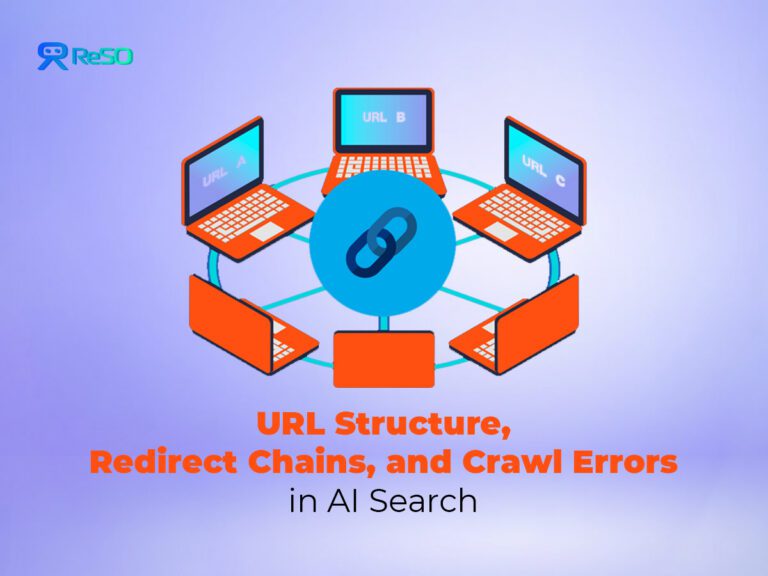
A redirect chain occurs when one URL redirects to another, which then redirects to another, and so on. Each hop consumes crawl budget and introduces a failure point. AI crawlers may abandon after two or three hops, never reaching the final destination. Redirect loops, where a URL redirects back to an earlier URL in the sequence, create an infinite trap.
Diagnose redirect problems
Filter your server logs for all 301, 302, and 307 responses. For each redirecting URL, trace the path to its final destination and categorize by chain length. Separately document any circular references where a URL redirects back to an earlier point in the same sequence.
Then segment by AI crawler user-agents. For chains longer than two hops, check whether the AI crawler that initiated the request ever reached the final destination URL. A high abandonment rate at the second or third hop confirms that chains are actively blocking content from AI systems.
Each additional redirect requires another request before the crawler reaches the final URL. The practical problem is not a fixed loss of ranking power at every hop, but added latency, additional failure points, and more work before the destination can be fetched and consolidated.
Google treats permanent redirects such as 301s as strong canonicalization signals, so redirects themselves are not inherently harmful. The cleaner approach is to point legacy URLs directly to the final destination and update internal links so crawlers do not repeatedly enter avoidable chains.
Fix redirect chains
1. Consolidate multi-hop chains to a single redirect
Modify the redirect rule for the first URL in any chain so it points directly to the final destination. A request to any legacy URL should resolve to a single 301 redirect, not two or three.
2. Break redirect loops
Identify the misconfigured rule that creates the circular reference. Update it to point to the correct final content page. Test by manually following the redirect path to confirm it terminates at a 200 response.
3. Update all internal links
After consolidating redirects, find every internal link that points to a URL within a former chain. Update the href to the final destination URL. Leaving old internal links in place means bots still encounter an unnecessary redirect even after the chain is fixed.
4. Set up automated monitoring
Configure alerts for any new redirect chains exceeding two hops. Without ongoing monitoring, chains accumulate again during site migrations, CMS updates, and content reorganization.
How do you fix HTTP errors affecting AI crawlers?
HTTP errors are direct signals of a broken or unreliable site. 4xx errors tell crawlers that content is missing or blocked. 5xx errors indicate server-side failures. AI crawlers that repeatedly encounter errors may reduce their crawl rate for your entire domain, not only the error-producing URLs.
Diagnose HTTP error patterns
- Filter logs for all responses with status codes 400 or higher. Group by specific code (404, 403, 500, 503) and segment by AI crawler user-agent.
- Compare AI bot error rates against Googlebot error rates. A significantly higher rate for AI crawlers often reveals timeout-related issues or access control rules that affect bots differently than browsers.
- Identify which URL paths generate the most errors. Deleted product pages producing thousands of 404s, outdated /static/ asset references, or misconfigured access controls on entire directories are common patterns.
- Also check for soft 404s: URLs that return a 200 status code but serve error page content.
These errors waste crawl budget because the crawler processes a valueless page, and the misleading status code prevents automatic detection.
Fix 404 errors
- Pages that were permanently deleted implement a 301 redirect to the most relevant alternative content and remove all internal links pointing to the old URL.
- For pages that should exist but are returning 404, restore the content or correct the URL configuration.
- Legacy URLs that were previously indexed deserve extra attention. If an old URL still receives AI crawler traffic, a 301 redirect preserves link equity and sends the bot to useful content instead of a dead end.
Fix 403 errors
- Verify whether each 403 is intentional. If a page should be publicly accessible but is blocked by a misconfigured firewall, WAF rule, or overly broad Disallow directive, correct the access control.
- For pages that are intentionally restricted but should be available to AI crawlers, use robots.txt Allow rules or X-Robots-Tag headers to grant access to verified bot user-agents.
Fix 5xx errors
- Server errors require root cause investigation through application error logs.
- Common culprits include database connection failures, resource exhaustion under crawler load, and code bugs triggered by specific URL patterns.
- Fix the underlying issue, then monitor for recurrence. Intermittent 5xx errors tied to traffic spikes may require scaling or load-balancing changes.
How do you audit robots.txt, CDN and firewall access rules
Crawler access should be checked across the full request path, not only at the origin server. A crawler can be allowed in robots.txt and still be stopped by a CDN, WAF, bot-management rule, or rate limiter before the request reaches the application.
Audit the layers in order:
- robots.txt: Test the rule that applies to each crawler individually. For Google, the most specific matching user-agent group is used, and a specific group is not combined with the wildcard User-agent: * group. Do not assume that allowing one crawler from a provider automatically allows its other agents.
- CDN and bot management: Look for verified crawler requests that were blocked, challenged, or rate limited. A normal origin log will not contain a request that the CDN stopped first.
- WAF rules: Check whether rules based on geography, automated traffic, request frequency, or user agent are producing 403 or 429 responses for legitimate crawler IPs.
- Challenge pages: If Cloudflare serves a Challenge Page, the response includes cf-mitigated: challenge. That lets you distinguish a security challenge from a normal application response when reviewing request data.
Finally, compare CDN request logs with origin logs for the same verified crawler, URL, and time period. If the CDN records the request but the origin does not, the request was stopped at the edge. If it reaches the origin and receives a 403, 429, or 5xx response there, continue the investigation at the server or application layer.
This distinction prevents a common diagnostic mistake: changing page code or redirects when the crawler is actually being denied before the page is reached.
How do you fix broken internal links and orphan pages?
Internal links form the primary pathways crawlers use to discover content. A broken internal link pointing to a 404 page is a dead end. An orphan page with zero inbound internal links is invisible to any crawler navigating your site structure.
1. Audit and repair broken links
Use a site crawler to generate a complete list of broken internal links, showing both the source page and the 404 destination. On each source page, update the broken link to point to the correct, live URL.
2. Link orphan pages into the site structure
For each high-value page with zero inbound internal links, add a contextually relevant link from a related parent page. Orphan pages that exist only in the sitemap and have no structural links are less likely to be crawled by AI bots that rely on link traversal.
3. Shorten crawl depth for critical pages
If important pages are buried four or more levels deep, add direct links from higher-level pages, such as your homepage or main category pages. Fewer hops between the homepage and the target page means a higher probability of AI crawler discovery.
4. Point internal links to final destinations
Update any internal link that targets a redirecting URL to point directly to the final destination, eliminating unnecessary hops for every crawler that follows the link.
How do you optimize your sitemap for AI crawlers?
Your XML sitemap is a direct instruction set for crawlers, and AI bots rely on it more heavily than Googlebot does for initial URL discovery.
1. Generate a clean sitemap with only canonical URLs
Remove old, redirected, or non-canonical URLs. Every URL in the sitemap should return a 200 status code.
2. Use a sitemap index file for large sites
If your sitemap exceeds 50,000 URLs, break it into smaller sitemaps referenced by a single index file. This enables parallel processing by crawlers.
3. Include lastmod and priority tags
Use <lastmod> to signal when content was last meaningfully updated. Use <priority> to indicate relative page importance. These tags guide crawlers toward your most valuable and freshest content.
4. Include de-orphaned and deep pages explicitly
Any page you surface through internal linking fixes should also appear in the sitemap. Treat this as a belt and suspenders approach: structural links help crawlers that follow links, and sitemap entries for crawlers that start from the sitemap.
How do you know the fixes worked?
Run a new log analysis two to four weeks after implementing changes. Compare against the baseline metrics from your initial audit.
| Metric | Target |
|---|---|
| AI crawler 404 rate | Below 15% (down from 34%+ baseline) |
| Redirect chains > 2 hops | Zero |
| Redirect loops | Zero |
| High-value pages crawled by AI bots | All priority pages appearing in logs |
| Broken internal links | Zero in the site crawl report |
| Orphan pages among priority content | Zero |
| Content visible in page source (no JS dependency) | All key pages pass |
Successful remediation shows up as more consistent crawling from AI bots across a wider range of your important pages. Monitor weekly for the first month, and then switch to monthly. Redirect chains and broken links naturally collect during site evolution, so quarterly audits prevent regression.
Post-fix validation: Confirming AI crawlers saw your changes
Log data tells you the bot arrived. It does not tell you the model re-absorbed the page. Combine server-log evidence with direct model tests:
ChatGPT check:
Open a fresh chat and ask it to cite the specific URL, or paraphrase a sentence you added post-fix. If the model returns the old content or says it cannot retrieve the page, the index has not refreshed.
Perplexity check:
Run the same test. Perplexity usually surfaces a “Sources” panel, so you can see exactly which version of the page was pulled.
Server logs:
After the fix date, look for new visits from GPTBot, OAI-SearchBot, ClaudeBot, and PerplexityBot. A fresh hit with a 200 response on the corrected URL is the cleanest signal of recrawl.
Propagation timeline:
Budget two to four weeks for index-style recrawlers to reflect updates. User-triggered agents like ChatGPT-User and Perplexity-User can surface fresh content within hours because they fetch on demand rather than on a scheduled sweep.
If four weeks pass without a fresh bot hit on a priority URL, resubmit the sitemap and add an inbound internal link from a recently crawled page to push discovery.
What mistakes should you avoid?
1. Using 302 redirects for permanent URL changes
302 tells crawlers the move is temporary. They keep checking both the old and new URL indefinitely, consuming double the crawl budget. For permanent changes, always use a 301 to consolidate signals and preserve link equity.
2. Deleting broken links instead of fixing destinations
When you find a broken internal link, fix the destination or redirect it first. Removing the link without replacing it can orphan the target page, making it less discoverable.
3. Fixing redirects without updating internal links
Consolidating a chain does nothing if internal links still point to the old starting URL. Bots still encounter a redirect, and you still waste crawl budget on every visit.
4. Assuming all 403 errors are intentional
Verify with content owners. A misconfigured WAF rule or overly broad firewall setting could be blocking valuable public content from AI crawlers without anyone realizing it.
5. Ignoring URL parameters and fragments
Tracking parameters and hash-based navigation are invisible friction. They do not cause visible errors, but they waste crawl budget on duplicates and make content unreachable. Audit parameter usage as part of every crawl optimization cycle.
6. Keeping client-side rendering without SSR
If AI crawlers receive an empty HTML shell, no amount of redirect or link optimization will matter. Server-side rendering is the prerequisite for everything else in this guide.
AI optimized URL checklist
- Are URLs descriptive and contain relevant keywords in the slug?
- Is the URL hierarchy as flat as reasonably possible?
- Have all non-essential URL parameters been removed or consolidated?
- Are URL fragments replaced with server-rendered static paths?
- Does the server deliver fully rendered HTML for all key pages (SSR)?
- Are all redirect chains consolidated to single-hop 301s?
- Are all redirect loops resolved?
- Is the XML sitemap current, valid, and free of old or redirecting URLs?
- Are all internal links pointing to final destination URLs (no intermediate redirects)?
- Do all high-value pages have at least one inbound internal link?
If your content is not appearing in AI-generated answers, the problem is often infrastructure, not relevance. ReSO tracks how your site performs across ChatGPT, Perplexity, and Google AI, showing where technical gaps are blocking visibility. Book a call with us now.
Frequently Asked Questions
Do AI crawlers handle technical issues differently from Googlebot?
Yes, AI crawlers generally have stricter timeout thresholds, higher error-abandonment rates, and less predictable recrawl schedules. A redirect chain or recurring error that has little visible impact on Google rankings can prevent AI systems from accessing and retrieving the page altogether.
Which technical issues have the biggest impact on AI visibility?
Three issues account for most crawl failures: inefficient URL structures, redirect chains and loops, and HTTP errors such as 404s and 5xx responses. Broken internal links and orphan pages can further reduce content discovery by limiting the paths crawlers use to navigate a site.
How can I tell whether AI crawlers are accessing my content?
Server logs are the most reliable source of evidence. Look for activity from bots such as GPTBot, OAI-SearchBot, ClaudeBot, and PerplexityBot, then review the URLs they request, the response codes they receive, and whether important pages are being crawled successfully.
How long does it take for technical fixes to improve AI visibility?
In most cases, expect two to four weeks for index-style AI crawlers to revisit and process updated URLs. After implementing fixes, monitor logs for fresh bot visits, successful 200 responses, reduced error rates, and increased crawling of priority pages.
Can a crawler fake its user agent, and how can it be verified?
Yes. Any script can identify itself as GPTBot or another crawler. Verify it by checking the requesting IP against the provider’s official IP list or by using reverse DNS before creating any allow rule.
Why might server logs show no AI crawler activity?
The requests may be blocked before they reach the server. Check robots.txt, CDN, firewall, and bot settings. Cloudflare Security Events can also show blocked crawler requests.
Does blocking GPTBot remove a site from ChatGPT search answers?
No. GPTBot is used for training, while OAI-SearchBot is used for ChatGPT search and ChatGPT-User fetches pages when needed. GPTBot can be blocked separately while OAI-SearchBot remains allowed for search visibility.