Links are one of the simplest building blocks of the web, but the words we use inside them are often treated as an afterthought. Anchor text is that small piece of visible text you click, and while it looks harmless, it quietly shapes how people move through a site, how accessible that site is, and how confidently systems understand the relationship between pages.
Most teams don’t think about anchor text until something breaks: links feel unclear, accessibility reviews flag issues, or search performance starts behaving unpredictably. That’s usually when the confusion shows up: is anchor text the whole link, the URL, or just the words you see? And does it still matter in a world where search and AI systems rely more on context than keywords?
What is Anchor Text?
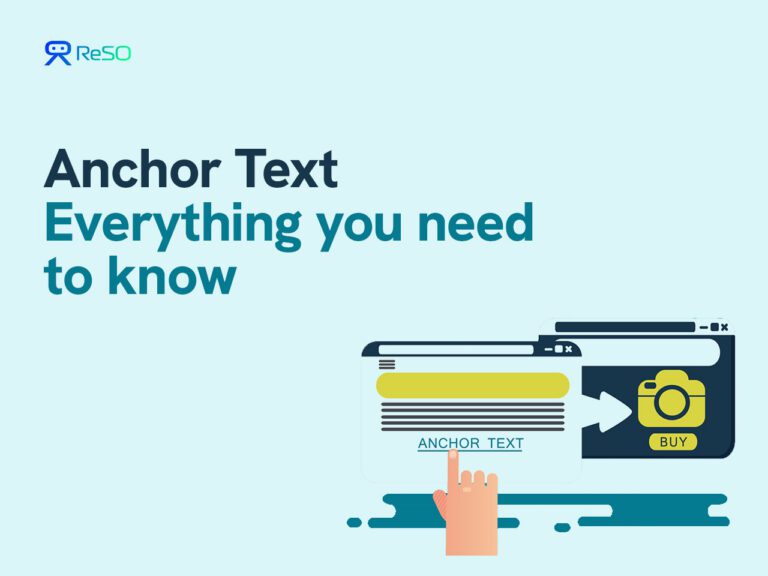
Anchor text is the human-readable, clickable text content of a hyperlink that signals to users and search systems what information the linked page contains. Anchor text sits inside the anchor element in HTML (<a href=”…”>anchor text</a>), where the href defines the destination and the anchor text defines the label users see and click.
Anchor text matters because links are not only for navigation; they also have meaning. The label attached to a link shapes user expectations, accessibility outcomes, and how confidently search and answer systems can connect a destination page to a topic.
Key Characteristics of Anchor Text
These traits are what make anchor text “good” in practice, even when a sentence gets extracted and reused.
- Visible and user-facing: Anchor text is what a person sees and clicks, so clarity affects behavior and comprehension.
- Describes the destination: Anchor text works when the label signals what the linked page is about, not just that a link exists.
- Separates label from destination: Anchor text is not the href. The best mental model is “label (anchor text) points to location (href).”
- Carries semantic intent: Anchor text acts as a relevance hint, especially when many pages could plausibly match a topic.
- Should be accessible: Non-descriptive anchors create usability and accessibility issues (screen readers often read links out of context). The research pack explicitly flags WCAG-aligned expectations for meaningful link text.
- Has types with different risk profiles: Anchor text can be branded, generic, exact match, partial match, and more. Each type behaves differently in SEO and UX.
Understanding the definition is one thing; using anchor text well means choosing the right type for the job.
How is Anchor Text used?
1) Helping users navigate with confidence
Anchor text sets expectations. A link labeled “pricing and packaging guide” attracts different clicks than a link labeled “click here,” even if both go to the same page.
2) Supporting internal linking and information architecture
Internal linking uses anchor text to connect related pages and reinforce topic relationships across a site. The research pack treats internal linking strategy as a direct concept that builds on anchor text.
3) Signaling topical relevance to search systems
Search systems use anchor text as one of the signals that describe the destination page. That is why descriptive anchors are repeatedly recommended in search guidance and SEO practice references in the research pack.
4) Improving accessibility and compliance outcomes
Generic anchors (“read more”, “click here”) are called out as failing to inform users and assistive technology, and as conflicting with WCAG-style expectations for descriptive link text.
Why Does Anchor Text Matter?
Anchor text matters because it sits at the intersection of three systems that all care about meaning:
- Human readers: Anchor text is a promise. If the promise is vague, users hesitate or misclick.
- Accessibility tooling: Screen readers often present a list of links. Descriptive anchor text makes those lists usable. The research pack explicitly ties generic anchors to WCAG issues and the lack of meaning for assistive tech.
- Search and answer engines: Anchor text contributes to how the destination page gets interpreted. This becomes even more important in AI-mediated experiences where systems summarize and route users through linked sources.
One practical implication: anchor text is not a place to “stuff keywords.” Anchor text is a place to be precise.
What are the Main Types of Anchor Text?
Search and SEO practice commonly classify anchor text into a few recognizable types. Here are the eight categories in your research pack, with what each one is best for.
- Exact match: Anchor matches a target keyword exactly (use sparingly, mainly when it reads naturally).
- Partial match / broad match: Keyword plus added context (often safer and more useful than exact match).
- Branded: Brand or company name (strong for navigation and natural link profiles).
- Generic: “click here”, “read more”, “learn more” (weak for meaning, weak for accessibility).
- Complete URL: The URL itself as the label (common in citations and references).
- Page or article title: Uses the title of the linked page as the label (often clear and low risk).
- Image alt text: When an image is linked, the alt text functions as anchor text.
- Compound (brand + keyword): Combines brand with descriptive context.
Pick the anchor type that matches the user’s intent at that moment.
- Navigation intent tends to like branded or title anchors.
- Learning intent tends to like descriptive partial-match anchors.
Common Anchor Text Mistakes
Mistake 1: Treating anchor text and a hyperlink as the same thing
This is the most basic and most common misunderstanding.
- A hyperlink is the full HTML element: the tag, the destination URL, and the visible text.
- Anchor text is only the visible label users click.
When teams blur this distinction, they stop thinking about the words users actually see. That’s how vague labels creep in. If you can’t clearly answer “what does this link promise?” by reading the anchor text alone, the anchor text isn’t doing its job.
Mistake 2: Overusing exact-match anchor text
Exact-match anchors are links where the anchor text is a precise keyword match for the destination page.
Years ago, this was heavily used to manipulate rankings. As a result, algorithm updates like Google Penguin algorithm pushed the ecosystem toward more natural, varied anchor text.
Today, overusing exact-match anchors doesn’t make links clearer; it makes them look artificial. In practice, descriptive phrases, page titles, and branded anchors usually communicate intent more naturally and reduce risk.
Mistake 3: Using generic anchors everywhere
Anchors like “click here,” “read more,” or “learn more” convey almost nothing to users.
They fail in three ways at once:
- Users don’t know what they’re about to open
- Assistive technologies can’t describe the link meaningfully
- Search and AI systems get no topical signal from the link itself
Generic anchors force other systems to guess based on surrounding text. Clear anchor text removes that ambiguity upfront.
Mistake 4: Forgetting that linked images need meaningful alt text
When an image is used as a link, there is no visible text. In that case, the image’s alt text becomes the anchor text.
If the alt text is missing or empty, the link effectively has no label:
- Screen readers announce an unlabeled link
- Search systems lose a clear description of the destination
- Users relying on non-visual cues lose context
Treat alt text on linked images the same way you treat anchor text on written links: it should describe what the linked page contains, not the image itself.
How does anchor text work in modern AI and retrieval systems?
Modern AI answer systems don’t just “read” pages. They retrieve pieces of information, connect them, and decide which sources best support an answer. Anchor text plays a quiet but important role in that process because it helps systems understand what a linked page is actually about.
In this context, anchor text isn’t just navigation. It’s part of how meaning moves between pages.
Two shifts are especially important to understand:
1. Context is no longer limited to the anchor words alone
When anchor text is clear and descriptive, systems can usually understand the link without extra help. But when anchor text is vague, like “click here” or “learn more”, AI systems look beyond the link itself.
This is where annotation text comes in. Annotation text refers to the words immediately surrounding a link. Those nearby words help systems infer what the destination page likely contains when the anchor text doesn’t say much on its own.
In short:
- Strong anchor text → less guesswork
- Weak anchor text → systems rely on surrounding context
Clear anchor text reduces the need for inference and lowers the risk of misinterpretation.
2. Anchor text has shifted from keyword matching to semantic clarity
In the past, anchor text was often treated as a keyword signal. Exact matches were common, and precision meant repetition.
Modern systems work differently. They rely on semantic understanding rather than exact phrasing. Anchor text is interpreted based on meaning, intent, and how well it aligns with the destination page, not whether it repeats a specific keyword.
That means:
- Natural, descriptive phrases are more useful than rigid keyword matches
- Clarity matters more than optimization
- Anchor text that describes outcomes or topics performs better than abstract labels
The goal is not to match a keyword, but to make the destination unmistakable.
If you care about being cited correctly in AI answers, anchor text is one of the easiest places to reduce ambiguity. An unambiguous label increases the odds that a system routes a reader to the right supporting page and that the supporting page is understood in the right topical frame.
Anchor Text in Practice
For teams trying to improve how their brand is understood and cited across AI answer systems, anchor text is a practical lever because anchor text touches both human navigation and machine interpretation.
A simple operating model looks like this:
- Audit internal links that use generic anchors (“learn more”, “read more”).
- Replace generic anchors with labels that describe the destination page’s core concept.
- Ensure linked images have alt text that matches the destination topic.
- Standardize anchor patterns for key “definition” and “comparison” pages so the same concept is named consistently across the site.
Clear anchor text doesn’t just improve individual links, it compounds across a site. When link labels consistently describe what a page actually delivers, both users and systems need less effort to understand, trust, and reuse that information.
For teams trying to improve how their brand is understood, how their brand appears, is cited, and is recommended across AI-mediated answer systems, book a demo and see where the “meaning gaps” are across your content, links, and entity coverage.