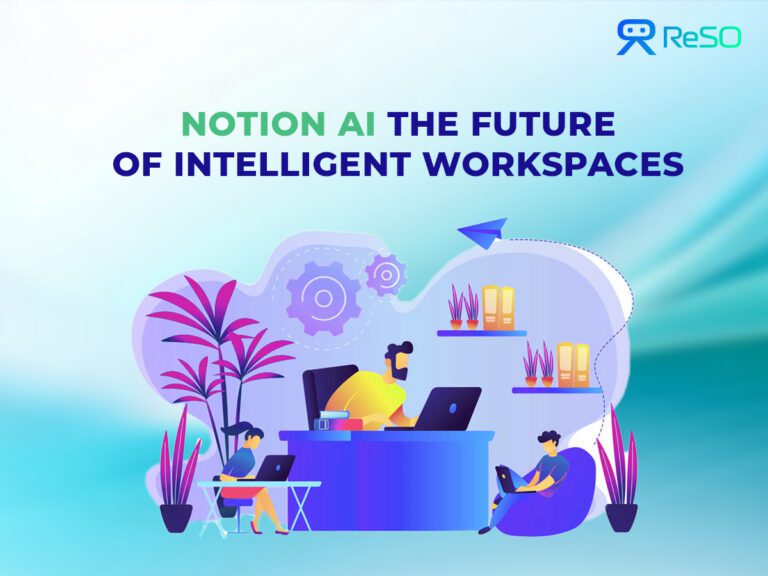
Notion AI represents an essential shift in how businesses approach knowledge management and workplace productivity. Notion AI, built on Notion’s incredibly powerful all-in-one workspace platform, seamlessly incorporates advanced generative AI capabilities powered by GPT-5.2, Claude Opus 4.5, and Gemini 3 into customers’ daily operations. Unlike standalone AI tools, which require continual context switching, Notion AI works effortlessly within the existing ecosystem in which teams interact, document, and execute projects.
The platform redefines traditional note-taking and project management as an intelligent, responsive environment. Users can generate content, analyze documents, search across connected applications, deploy autonomous agents for complex workflows and automate repetitive operations without leaving their current workspace. This integration eliminates the friction that is commonly associated with AI adoption, making advanced capabilities available to knowledge workers independent of technical experience.
Notion AI’s primary premise is to become a unified “second brain” for individuals and organizations. Rather than dividing workflows between various point solutions, it combines AI-powered writing assistance, intelligent search, document analysis, and workflow automation into a single, unified platform. This solution addresses a fundamental pain point in modern workplaces: productivity loss due to tool proliferation and context change.
Evolution of Notion and Emergence of AI
The drive toward AI integration began in late 2022, when Notion introduced its AI tools, which marked a substantial departure from its roots as a flexible workspace platform. The most disruptive update was Notion 2.45 in September 2024, which brought the “new Notion AI” with much-improved capabilities.
Major feature upgrades have gradually increased Notion AI’s capabilities:
| Version | Date | Key Features |
| 2.48 | February 2025 | AI-powered database construction from natural language |
| 2.51 | May 2025 | AI Meeting Notes and Enterprise Search |
| – | July 2025 | Database redesign with Feed view, Research mode, new languages |
| – | August 2025 | Offline Mode for desktop and mobile |
| 3.0 | September 2025 | Autonomous Agents – major paradigm shift enabling 20+ minute multi-step workflows |
| 3.1 | November 2025 | Dedicated Meetings tab, Map view, CSV analysis, private Slack access |
| 3.2 | January 2026 | Mobile AI Meeting Notes, GPT-5.2/Claude Opus 4.5/Gemini 3, AI Analytics Dashboard |
Each update targets a distinct user pain point, ranging from the tedium of meeting paperwork to the difficulty of obtaining information across disparate tool ecosystems. The AI connectors and Model Context Protocol (MCP), released with integrations for Lovable, Perplexity, Mistral, and HubSpot, demonstrate this approach by addressing the common problem of information silos.
Core Features of Notion AI
AI-Assisted Writing and Content Generation
Notion AI’s writing capabilities include sophisticated content creation tools that adjust to organizational context and style. The platform’s @-mention style guide feature allows users to reference specific pages, ensuring that AI-generated material has a consistent voice and structure across teams. This capability tackles a fundamental weakness of generic AI writing tools: their inability to generate content that seems truly aligned with organizational communication guidelines.
“One-click skills” simplify common content activities by making pre-configured actions available via simple commands. Users may quickly create Q&A sections, brainstorm ideas, summarize long documents, translate content into several languages, and convert speech to text. These capabilities remove the need for complicated prompting, making AI support available to people who would otherwise struggle with effective AI interaction.
Drafting and rewriting skills are very useful for knowledge workers who constantly create documentation, reports, and communication materials. Notion AI can create early writings from brief sketches, recommend modifications to existing content, and adjust tone and style for diverse audiences. Teams report tremendous time savings in content development, with first versions that require little modification to satisfy publication standards.
Notion AI distinguishes itself from generic writing help by utilizing advanced tone and style adaptation. The AI creates information that smoothly fits with existing documentation by utilizing organizational style standards and content patterns. This contextual intelligence is especially useful for maintaining consistency across large teams and ensuring new content follows established communication rules.
Autonomous Agents
Launched with Notion 3.0 in September 2025, Autonomous Agents represent a paradigm shift in AI assistance. Unlike simple chatbots, Agents execute complex, multi-step workflows autonomously for 20+ minutes without user intervention.
Agent Capabilities:
- Access Slack (including private channels and DMs), Google Drive, and GitHub while respecting permissions
- Read and analyze CSV files (up to 1,000 rows)
- Search Google and Notion Calendars
- Build forms and databases from natural language descriptions
- Analyze comments and version history
- Execute multi-step research and documentation tasks
Custom Agents(coming soon) will allow teams to automate specific workflows tailored to their processes.
Agents respect existing permission structures, users cannot access AI responses based on content they lack visibility to.
Intelligent Search and Q&A (Enterprise Search)
Natural-language search represents a fundamental shift from traditional keyword-based information retrieval to conversational knowledge discovery. Users can ask complex questions like “What concerns were raised about the mobile app release?” and receive synthesized answers drawn from Notion pages, Slack conversations, and Google Drive documents. This capability transforms information discovery from a hunting exercise into a natural dialogue.
Research mode enhances search capabilities by providing transparent source attribution and allowing users to explore the reasoning behind AI responses. When Notion AI answers a question, it displays specific sources and relevant excerpts, enabling users to verify information and dive deeper into supporting materials. This transparency builds trust in AI recommendations while maintaining the ability to access original sources when needed.
Cross-platform integration through AI connectors extends search capabilities beyond Notion’s native content. The current beta includes Google Docs, Sheets, Slides, and Slack, with GitHub, Jira, and additional integrations planned. This comprehensive search scope addresses the reality of distributed information across modern tool stacks, providing a single interface for organizational knowledge discovery.
Contextual Q&A within pages enables targeted information retrieval without leaving the current work context. Users can ask questions about specific documents or project areas and receive relevant answers drawn from related materials. This feature proves particularly valuable during meetings and collaborative sessions, where quick access to contextual information can significantly improve decision-making quality
Meeting & Notes Automation
Live transcription capabilities launched with Notion 2.51 represent a significant advancement in meeting productivity. The system captures conversations in real-time across all major platforms including Zoom, Google Meet, and Microsoft Teams, without requiring bot installations or complex setup procedures.
Notion 3.1 Enhancements:
- Dedicated Meetings tab in sidebar organizing all meeting notes
- Summaries link takeaways to exact transcript timestamps
- Agents can analyze comments and version history within meeting contexts
Notion 3.2 Mobile Features:
- AI Meeting Notes available on mobile with one-tap transcription
- Full Agent functionality extends to mobile devices
AI-powered summarization and action item extraction transform lengthy meeting transcripts into actionable insights. The system automatically identifies key decisions, extracts follow-up tasks, and highlights important discussion points. Teams can customize summary formats based on meeting types.
Integration with Notion Calendar enables automatic meeting note generation for scheduled events. Users can configure the system to create meeting notes templates based on agenda items and participant information.
Advanced tagging and categorization help teams organize meeting insights within broader project contexts. The AI automatically applies relevant tags based on discussion topics and can link meeting outcomes to related databases and project pages. This contextual organization transforms meeting notes from isolated documents into integrated components of organizational knowledge.
Document and Media Analysis
PDF summarization capabilities enable rapid analysis of lengthy documents, research papers, and reports. Users can upload files directly to Notion AI and receive concise summaries highlighting key findings, recommendations, and actionable insights. This feature proves particularly valuable for research teams, consultants, and executives who regularly process large volumes of written material.
Image understanding and diagram explanation extend AI capabilities beyond text processing to visual content analysis. Notion AI can interpret charts, diagrams, infographics, and screenshots, providing explanations and extracting relevant data points. This multimodal intelligence proves especially useful for teams working with visual documentation and technical materials.
OCR (Optical Character Recognition) functionality allows the system to extract text from images and scanned documents, making previously inaccessible information searchable and actionable. This capability addresses common challenges with legacy documentation and handwritten materials, bringing historical information into digital workflows.
Web page analysis enables users to quickly digest online content by providing summaries of articles, blog posts, and research materials. Teams can efficiently evaluate external resources and extract relevant insights without spending significant time reading full articles. This feature streamlines competitive research, industry analysis, and content curation activities.
Data and Workflow Automation
AI-powered database properties revolutionize information management by automatically generating summaries, keywords, translations, and categorizations for database entries. This automation eliminates manual data entry tasks while ensuring consistent information structure across organizational databases. Teams report significant time savings in content management and improved data quality through AI-assisted standardization.
AI connectors and agents enable live data integration from external systems, creating dynamic workflows that respond to changes across the tool ecosystem. Current integrations include Slack for communication insights, Google Drive for document management, and GitHub for development activity tracking, with additional connectors planned for ServiceNow, Box, and other enterprise systems.
Context menu actions provide instant access to AI capabilities through simple right-click operations. Users can quickly explain complex content, summarize lengthy sections, or improve writing quality without interrupting their workflow. These contextual actions make AI assistance feel natural and intuitive rather than requiring separate tool interactions.
Workflow automation triggers allow teams to create intelligent responses to specific events or conditions. For example, databases can automatically generate weekly status reports, send notifications based on project milestones, or update stakeholder dashboards when key metrics change. This automation capability transforms Notion from a passive repository into an active participant in organizational workflows.
Notion-First Tools and Extensions
- Notion Mail, launched Following the Skiff acquisition in February 2024, Notion Mail integrates email management directly into the workspace. Notion 3.2 added multi-account support, allowing users to manage multiple email accounts within a single interface. The Notion Mail AI connector enables AI to search and analyze email content alongside other workspace data.
- Notion Calendar and Sites benefit from AI enhancement through intelligent scheduling suggestions and automated content generation. Calendar integration enables AI meeting notes to be automatically associated with scheduled events, while Sites can leverage AI for content optimization and visitor engagement analysis. These integrated tools create a comprehensive digital workspace ecosystem.
- The Notion App Ecosystem and template gallery provide starting points for AI-enhanced workflows across various use cases. Templates incorporate AI automation for common scenarios like project tracking, meeting management, and content planning. This template approach accelerates AI adoption by providing proven patterns that teams can customize for their specific needs.
- Complementary AI apps like Kipwise extend Notion’s capabilities through specialized functionality while maintaining integration with the core platform.
Developer API and Custom Integrations
- Notion’s API architecture supports both GraphQL and REST endpoints, enabling developers to create sophisticated custom integrations and automated workflows. The API provides comprehensive access to Notion’s database structures, page content, and AI capabilities, allowing organizations to build tailored solutions that address specific business requirements.
- No-code platforms like Zapier and Make extend Notion AI’s automation capabilities without requiring technical expertise. These integrations enable teams to create workflows that automatically populate Notion databases with information from CRM systems, support tickets, or project management tools. The combination of AI intelligence and no-code automation democratizes advanced workflow creation.
- Custom GPT agents can be built using Notion’s API to create specialized AI assistants tailored to organizational needs. These agents can access specific databases, follow custom business logic, and provide specialized responses based on proprietary information. This capability enables organizations to create AI assistants that understand their unique context and terminology.
- The third-party integration ecosystem continues expanding through partnerships with productivity platforms and specialized business tools. The Relevance AI partnership, for example, enables advanced AI agent creation with deep Notion integration. These partnerships extend Notion AI’s capabilities while maintaining the unified workspace experience.
Use Cases & Workflows Across Roles
| Department/Role | Industry Focus | Primary Use Cases | Key AI Features | Expected Benefits |
| Product Management | SaaS/Enterprise Software | Product roadmapping & prioritization- User feedback analysis- Competitive intelligence- Feature specification writing | Document analysis- AI-powered search- Content generation- Meeting notes automation | 50% faster roadmap updates- Better feature prioritization- Improved stakeholder communication |
| Engineering | DevOps/Cloud Services | Technical documentation- Code review summaries- Architecture decision records- Bug triage & analysis | GitHub/JIRA integration- AI doc generation- Intelligent tagging- Data analysis | Reduced documentation debt- Faster onboarding- Better code quality |
| Sales Engineering | Enterprise Tech | Demo preparation- RFP responses- Technical proposals- Customer solution design | Template automation- Content personalization- Research synthesis- Competitive analysis | 40% faster proposal generation- Higher win rates- Better technical accuracy |
| Customer Success | B2B Platforms | Health score analysis- Expansion opportunity identification- Training material creation- Support escalation management | Customer data analysis- Predictive insights- Content creation- Workflow automation | Improved retention rates- Faster issue resolution- Proactive account management |
| Investment Banking | M&A/Capital Markets | Deal sourcing research- Market analysis reports- Pitch deck creation- Due diligence documentation | Research synthesis- Data analysis- Financial modeling- Report generation | 60% faster research- Better deal insights- Higher quality presentations |
| Management Consulting | Strategy/Operations | Industry research- Client interview analysis- Recommendation development- Executive summaries | Multi-source research- Pattern recognition- Strategic frameworks- Executive reporting | Deeper client insights- Faster project delivery- Better recommendations |
| Accounting Firms | Tax/Audit Services | Regulation tracking- Client communication- Audit workpaper preparation- Tax research | Regulatory updates- Client database management- Document automation- Research assistance | Improved compliance- Better client service- Reduced manual work |
| Wealth Management | Private Banking | Client portfolio reviews- Market commentary- Investment research- Relationship management | Portfolio analysis- Market data synthesis- Client communication- Performance reporting | Better client outcomes- Stronger relationships- More informed decisions |
| Medical Affairs | Pharmaceutical | Clinical trial documentation- Regulatory submission preparation- Scientific literature review- Medical education content | Document analysis- Research synthesis- Regulatory compliance- Content generation | Faster submissions- Better compliance- Improved scientific communication |
| Healthcare IT | Hospital Systems | System implementation guides- User training materials- Technical documentation- Compliance reporting | Process documentation- Training content- Compliance tracking- System integration | Better system adoption- Improved compliance- Reduced training time |
| Clinical Research | CROs/Biotech | Protocol development- Study monitoring reports- Adverse event tracking- Regulatory correspondence | Protocol templates- Data analysis- Report automation- Compliance monitoring | Faster study startup- Better data quality- Improved compliance |
| Operations Management | Manufacturing | Production planning- Quality control documentation- Supplier evaluation- Process improvement | Production data analysis- Quality metrics tracking- Supplier databases- Process documentation | Improved efficiency- Better quality control- Optimized supply chain |
| Quality Assurance | Automotive/Aerospace | Inspection reports- Compliance documentation- Root cause analysis- Corrective action plans | Quality data analysis- Compliance tracking- Problem solving- Documentation automation | Reduced defects- Better compliance- Faster problem resolution |
| Supply Chain | Industrial Equipment | Vendor management- Risk assessment- Demand forecasting- Logistics planning | Supplier databases- Risk analysis- Demand planning- Route optimization | Lower costs- Reduced risks- Better service levels |
Risks & Considerations
AI limitations and error management require organizations to maintain awareness of potential accuracy issues and implement appropriate verification processes. While Notion AI generally produces high-quality outputs, users must understand when human review remains necessary. Clear guidelines about AI reliability in different contexts help teams use AI assistance appropriately while maintaining quality standards.
Vendor lock-in versus platform openness considerations become important for long-term strategic planning. While Notion’s integrated approach offers significant convenience and efficiency benefits, organizations must evaluate the implications of concentrating multiple workflow functions within a single platform. API availability and data export capabilities provide some mitigation for lock-in concerns.
Data privacy and security implications require careful evaluation, especially for organizations handling sensitive information. Notion AI’s privacy practices and data handling policies must align with organizational security requirements and regulatory compliance needs. The platform’s commitment to respecting existing permission structures provides some assurance, but organizations need comprehensive privacy assessments.
Dependency management and continuity planning should address potential service disruptions or changes in AI capabilities over time. Organizations need contingency plans for maintaining productivity if AI features become unavailable or significantly change. This planning includes maintaining some level of manual capability and ensuring critical processes don’t become entirely dependent on AI assistance.
Comprehensive Comparisons and Related Tools
Traditional Knowledge Platforms Comparison
| Platform | Core Strengths | AI Capabilities | Integration Ecosystem | Best For | Limitations |
| Notion AI | Flexible workspace design- AI-enhanced search & content- Cross-platform integration- Real-time collaboration | GPT-5.2, Claude Opus 4.5, Gemini 3; Autonomous Agents; Enterprise Search; MCP integrations | Google Workspace (Docs, Sheets, Slides)- Slack, GitHub, Microsoft Teams- Gmail, Google Drive- API for custom integrations | Innovation-focused teams- AI-enhanced productivity- Flexible, adaptive workflows- Cross-functional collaboration | Steeper learning curve- Less mature enterprise features- Dependent on internet connectivity |
| Confluence | Structured documentation- Robust permission systems- Enterprise compliance- Mature wiki functionality | Limited native AI features- Basic search capabilities- No content generation- Atlassian Intelligence (basic) | Deep Atlassian ecosystem- JIRA, Bitbucket, Trello- Enterprise SSO/LDAP- Extensive marketplace | Large enterprises- Complex compliance needs- Atlassian tool users- Structured documentation | Limited AI capabilities- Rigid structure- Poor user experience- Expensive at scale |
| SharePoint | Document management- Enterprise-grade security- Microsoft ecosystem integration- Workflow automation | Basic AI through Copilot- Limited intelligent features- No unified cross-platform search- Microsoft Viva integration | Full Microsoft 365 suite- Teams, Outlook, PowerBI- Enterprise Active Directory- Legacy system support | Microsoft-centric organizations- Document-heavy workflows- Enterprise compliance focus- Legacy system integration | Poor user interface- Complex administration- Limited modern collaboration- Expensive licensing |
AI Writing & Productivity Tools Comparison
| Tool | AI Technology | Primary Focus | Key Strengths |
| Notion AI | GPT-5.2, Claude Opus 4.5, Gemini 3 | Workspace-integrated intelligence | Autonomous Agents, no context switching, organizational memory |
| ChatGPT Plus | GPT-4 Turbo | General-purpose AI assistant | Superior general knowledge, flexible conversation |
| Jasper | Multiple AI models | Marketing content creation | Marketing templates, brand management |
| Copy.ai | GPT-based models | Sales and marketing copy | Template library, sales-focused features |
Note-Taking & Workspace Applications
| Application | AI Features | Collaboration | Best For |
| Notion AI | Full AI with Agents, intelligent search, content generation, offline mode | Real-time collaboration, team workspaces | Teams needing comprehensive AI workspace |
| Evernote | Limited AI, basic search | Basic sharing | Individual note-takers |
| Obsidian | Plugin-based AI | Basic via sync | Privacy-focused individual users |
| Roam Research | Limited AI, research plugins | Basic team collaboration | Researchers, academic users |
The long-term “second brain” vision will drive continued development toward comprehensive organizational intelligence that augments human capability across all knowledge work functions. Notion AI’s integrated approach provides a foundation for this vision, but realization requires continued innovation in AI capability, user experience, and organizational adoption. Success in achieving this vision will determine which platforms become essential infrastructure for knowledge-intensive organizations.
Enterprise AI adoption acceleration will create significant opportunities for platforms that successfully balance capability, usability, and organizational requirements. Notion AI’s workspace-integrated approach addresses key adoption barriers while providing meaningful productivity benefits. Organizations that successfully implement comprehensive AI strategies will gain competitive advantages in efficiency, decision-making quality, and innovation capability.
The future of intelligent workspaces lies in seamless integration of AI capabilities with human workflows, and Notion AI’s comprehensive approach positions it at the forefront of this transformation. As AI technology continues advancing and organizational comfort with AI assistance grows, platforms that successfully blend powerful capability with an intuitive user experience will define the future of knowledge work.
Frequently Asked Questions
1. Is Notion AI just another writing assistant?
Not at all, it’s your entire workspace made smarter. It helps you write, search, automate, and analyze, all without leaving Notion.
2. How is Notion AI different from ChatGPT or Jasper?
ChatGPT helps you think; Notion AI helps you work. It’s built into your documents, databases, and meetings, so AI becomes part of your workflow.
3. Who benefits most from Notion AI?
Teams drowning in tools. If you’re juggling docs, notes, and meetings across platforms, Notion AI brings it all under one intelligent roof.
4. What are the best use cases for Notion AI in 2025?
Notion AI is best used in 2025 for knowledge management, internal documentation, meeting summaries, content drafting, task planning, and team workflows, where context-aware writing and workspace integration matter more than generic AI chat.
5. Is Notion AI secure for business use?
Yes. Notion AI is secure for business use. It follows enterprise-grade security practices, including data encryption, SOC 2 compliance, access controls, and options to prevent customer data from being used to train AI models, making it suitable for most business teams.