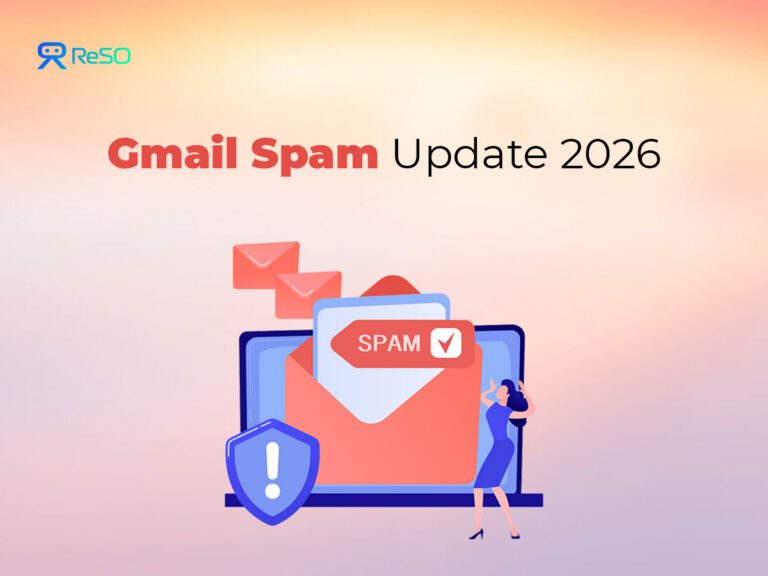
Once an email address becomes widely known, it rarely gets quieter. Spam keeps adapting, finding new paths in, and reappearing in different forms. Filters can reduce what you see, but they can’t undo years of exposure tied to a single Gmail username that’s been shared across logins, sign-ups, and public profiles.
That’s why Google didn’t treat 2026 as just another spam-filter upgrade.
Instead of asking, “How do we block more messages?” the company addressed a more fundamental question many users are now asking: Can I change my Gmail address without rebuilding my entire digital life?
The result is a set of structural changes that focus on identity, access paths, and intent, not just detection.
- Some users can now change their @gmail.com address without losing their account
- Long-standing inbox connections that quietly let spam through are being shut down
- Inbox-connected AI features are becoming explicit opt-ins instead of silent defaults.
These updates reflect a simple reality: once an email address is overexposed, filtering alone isn’t enough.
What exactly is the “Gmail Spam Update”?
It isn’t one switch Google flipped. It’s a set of three distinct changes, each solving a different problem.
- Change A: Gmail address reset (identity)
Some users can change their @gmail.com address without losing their account. Account data stays intact; the old address becomes an alternate address. - Change B: POP + Gmailify shutdown (pathways)
Gmail is removing legacy inbox connections that pulled mail from other accounts in the background, reducing long-standing spam and security risks. - Change C: Inbox-connected AI (intent)
Gemini can connect to Gmail for personalized help, but only if users opt in and choose which apps are accessible.
The Gmail address reset
This is the most important change in the 2026 update, and also the easiest to misunderstand.
It’s not about aliases, plus-addressing, or vanity cleanup. It’s about resetting a compromised email identity without rebuilding your digital life from scratch.
What Google is actually allowing (and what it means)
According to the update, some users can now change their Google Account email.
What does change:
- Your primary login email (the address people know)
- The new senders ‘ addresses will reach you on
What does not change:
- Your Google account itself
- Gmail history, Drive files, Photos, Calendar, purchases, subscriptions
- Your security setup (2SV, passkeys, recovery info)
Your old Gmail address doesn’t disappear, it becomes an alternate address, meaning:
- Email sent to the old address still arrives
- You can filter or isolate it
- You don’t lose access to anything overnight
This is best thought of as changing the front-facing identity, not creating a new account.
Important limits (non-negotiable):
- You can create a new Gmail address once every 12 months
- You can do this only three times total
- That means a maximum of four Gmail addresses per account, including the original
This is a reset lever, not something to experiment with casually.
Who should seriously consider doing this
If one or more of these are true for you:
- Your Gmail address is old and widely published
(forums, resumes, public profiles, comment sections, old startups) - You receive persistent junk that keeps changing patterns
- Your address has been used as a universal login for years
- You want a clean split between:
- a login/identity address
- and a newsletter/commerce/throwaway address
In other words, if your address is part of the public internet’s long-term memory, this feature finally gives you a way to move on without starting over.
Who should not rush into it
Google flags that some setups may require extra care. This includes users who rely heavily on:
- Chromebooks tied closely to the account
- “Sign in with Google” across many third-party apps
- Chrome Remote Desktop or similar services
Independent reporting has also noted that some settings may reset after the change. These are usually minor, but real. That’s why Google explicitly recommends backing up important data as a precaution, even though account data is designed to remain intact.
The takeaway here isn’t “don’t do it.”; it’s to treat this like a controlled migration, not a casual rename.
How to change it safely (and how to avoid scams)
Because this update is high-impact, it’s also being copied by scammers.
Rule number one: Never click an email claiming you “need to change your Gmail address.”
To check legitimately:
- Manually type your Google Account URL
- Go to Personal info → Email
- Look for “Change Google Account email” (it may not appear yet; rollout is gradual)
If the option isn’t there, nothing is broken. You’re just not eligible yet.
After the change:
- Update your most important logins first (banking, government IDs, payroll, primary SaaS tools)
- Decide what to do with mail sent to the old address:
- filter it
- label it
- or keep it as a monitored “legacy” inbox
POP + Gmailify shutdown
This change affects fewer people than the address reset, but it quietly removes one of the biggest long-term spam and security risks inside Gmail.
Many users won’t realize they’re affected until it stops working.
What’s being turned off
Starting from January 2026, Gmail will no longer support:
- Gmailify for third-party email accounts
- POP-based fetching via “Check mail from other accounts.”
These features allowed Gmail to pull email from other inboxes in the background, often without users revisiting the setup for years.
Imported messages already in Gmail will remain. What’s ending is the ongoing background fetching.
Why this matters for spam
POP and Gmailify created invisible pathways that worked like this:
- A weaker or neglected inbox receives spam
- Gmail quietly fetches it
- The message arrives inside Gmail as “imported mail”
- Filters are less strict because the mail didn’t arrive directly
Over time:
- Old passwords went unchanged
- Compromised accounts kept feeding junk
- Users forgot the connection even existed
This wasn’t obvious spam behavior; it was legacy plumbing quietly degrading inbox quality. By shutting this down, Google is forcing a long-overdue audit of how mail enters Gmail.
What to do instead
Option 1: Automatic forwarding (recommended for most people)
Set the other email provider to forward mail to Gmail.
Why this is better:
- Fewer credentials stored in Gmail
- Clearer control at the source inbox
- Easier to stop if something goes wrong
Option 2: Add the account to the Gmail mobile app
Use the Gmail app to add the account directly (IMAP-based).
This keeps inboxes connected without background fetching and gives you more visibility into what’s happening.
Inbox-connected AI
This part of the update isn’t about spam volume directly. It’s about trust, and making sure access to your inbox is an explicit choice.
What’s actually changing
Google’s Gemini “Personal Intelligence” can now connect to Gmail (and other Google apps) to provide more personalized help, things like summarizing threads, answering questions using your emails, or pulling context when you ask.
The key point: this is opt-in.
According to how Google is framing it:
- Nothing is automatically connected
- Users decide whether Gmail is included
- Users choose which apps Gemini can access
- Settings can be changed or revoked later
There’s no blanket “AI now reads your inbox” switch.
Why does this matter in a spam conversation
Spam is ultimately a trust problem:
- Which systems can access your inbox
- Which pathways are open
- Which decisions are automated vs intentional
Inbox-connected AI sits close to sensitive data. That’s why Google is drawing a clear line between available and enabled
What Google says about data use
Reporting around this change often gets alarmist. The actual positioning is narrower:
- Gemini doesn’t “train on your inbox” in a broad sense
- Like most AI products, limited information (such as prompts and responses) may be used to improve systems
- App connections are user-controlled and reversible
The important shift isn’t the model, it’s the permission model.
Set your AI boundary
Do this once, then revisit after major updates:
- Decide whether you want AI help inside Gmail at all
- If yes:
- Explicitly choose which apps are connected
- Understand what tasks you’re comfortable delegating
- If no:
- Leave Gmail disconnected
- Recheck settings occasionally, especially after app updates
The Gmail Spam Playbook 2026
At this point, the pattern should be clear. Spam in 2026 isn’t just about better filters. It’s about identity, pathways, and intent.
So the playbook isn’t “turn on more protection.” It reduces exposure and controls how mail enters your inbox.
1) Identity hygiene
If your address is overexposed, treat the new address change as a reset lever, not a cosmetic tweak.
- Use a new Gmail address as your primary login and identity
- Keep the old address as a catch address, not a front door
- Aggressively filter or label anything sent to the old address
The goal isn’t perfection. It’s reducing how often your primary identity appears in junk lists.
2) Inbox control
Build a small number of intentional filters instead of dozens of rules you forget about.
Three that matter most:
- Legacy address mail: Anything sent to your old Gmail address, label it clearly (for example, “Legacy”) and keep it out of your main inbox.
- Unknown senders with common spam language: Label and skip the inbox instead of relying on spam alone.
- Transactional mail you must not miss: Receipts, banking alerts, payroll confirmations, always in the inbox.
This gives you visibility without noise.
3) Pathway cleanup
After the POP and Gmailify shutdown, make sure you don’t recreate the same problem in a new form.
- Avoid pulling mail from weak or abandoned inboxes
- Prefer forwarding over background fetching
- Periodically review connected accounts and remove anything you no longer use
Every connection is a potential spam path.
4) Scam-proofing (non-negotiable)
One rule to internalize:
Never trust an email about changing your Gmail address, security settings, or AI access.
Always:
- Type the Google Account URL manually
- Navigate through the settings yourself
- Treat urgency as a red flag
This update is already being used as social-engineering bait.
For Marketers sending email
Everything covered so far focused on the receiver side of spam. For marketers, founders, and GTM teams, the update lands somewhere else entirely.
Gmail isn’t just giving users more control. It’s raising the cost of getting it wrong.
The uncomfortable truth for senders: most emails that now land in spam aren’t there because:
- The copy was bad
- The subject line tripped a filter
- or “Gmail changed the algorithm.”
They’re there because trust signals failed.
In 2026, Gmail is far less forgiving about who is allowed into the inbox and under what conditions.
From Google’s own sender guidance, three things dominate deliverability:
1) Authentication is non-negotiable
If you send an email at scale, Gmail expects:
- SPF to be set correctly
- DKIM signing is in place
- DMARC aligned (not just “monitoring forever”)
Unauthenticated or misaligned mail is increasingly:
- throttled
- spam-foldered
- or rejected outright
This isn’t a warning phase anymore.
2) User behavior outweighs your intentions
Gmail doesn’t care why you sent the email. It cares about how users react.
Two signals matter most:
- Spam reports
- Engagement (or lack of it)
Google’s own documentation references spam-rate thresholds where:
- User-reported spam above ~0.3% begins to affect mitigation eligibility
- Persistent issues compound over time
In simple terms: If people hit “Report spam” instead of “Unsubscribe,” you lose credibility fast.
3) Inbox cleanup on the user side raises the bar for senders
As Gmail users clean up their inboxes, the margin for error on the sender side shrinks.
People are resetting overexposed email addresses, filtering legacy inboxes more aggressively, and shutting down old mail pathways. The result is straightforward: lists decay faster, old contacts stop responding, and high-volume, low-intent campaigns damage domain reputation more quickly than before.
The old assumption, “we emailed them once years ago, so it’s fine,” no longer holds.
Inbox forgiveness is disappearing.
What should marketers do if they are sending out emails?
| Area | What to do | Why it matters in 2026 |
Authentication (non-negotiable) | Verify SPF, DKIM, and DMARC alignment | Gmail increasingly treats unauthenticated or misaligned mail as untrustworthy |
| Move DMARC toward enforcement (not monitor-only forever) | Soft DMARC no longer protects reputation at scale | |
| Monitor Google Postmaster Tools (spam rate, domain reputation) | User-reported spam directly affects inbox placement | |
Spam complaint reduction | Make unsubscribe one-click and obvious | Frictionless exits reduce “Report spam” clicks |
| Remove disengaged subscribers proactively | Silent disengagement still harms reputation | |
| Stop mailing contacts who haven’t opened in months | Dead weight accelerates domain burn | |
Inbox intent alignment | Segment by actual interest, not just lifecycle stage | Relevance now outweighs frequency |
| Prefer lower volume over broader blasts | High-volume, low-intent mail is penalized faster | |
| Send emails people expect, not tolerate | Expectation drives engagement signals | |
Reputation mindset | Assume zero benefit of the doubt | Gmail re-evaluates trust continuously, not historically |
| Treat deliverability as ongoing hygiene | Recovery is slower than prevention in 2026 |
The mindset shift marketers need to make
For years, deliverability was treated as “Something we fix when emails stop landing.” That no longer works. Gmail’s spam update, especially combined with user-side controls, means:
- Trust is fragile
- Reputation decays quickly
- Recovery takes longer than prevention
The winners are the ones whose email recipients would actually notice if they stopped arriving.
Want to keep up with changes like this?
Our newsletter is a noise-free roundup of the latest and most important platform updates, direct links, and credible reporting, just what changed and where to read it.
If you want the updates without chasing them, you can subscribe to our newsletter.
Frequently Asked Questions
1. Is a Gmail account the same as a Google account?
No. A Gmail account is just one service inside your Google account. Your Google account holds your identity, data, and security across all Google products, which is why Gmail addresses can now change without deleting everything.
2. Can I change my Gmail address in 2026?
For some users, yes. Google now allows limited Gmail address changes while keeping the same Google account, making it possible to reset an overexposed email identity without starting over.
3. Is changing my Gmail address the same as adding an alias to Gmail?
No. Adding an alias to Gmail still delivers mail to the same underlying address. It helps with organization, not exposure. The 2026 change affects the primary address people see and use.
4. Can I delete an email address from Gmail completely?
Not fully. You are not deleting an email address from Gmail; the old address usually becomes an alternate that can still receive mail. What changes is which address acts as your primary identity.
5. What happens to my Gmail username after the change?
Your Gmail username changes from a visibility perspective, but your account history does not. Emails, files, purchases, and settings remain intact; only the front-facing address is different.