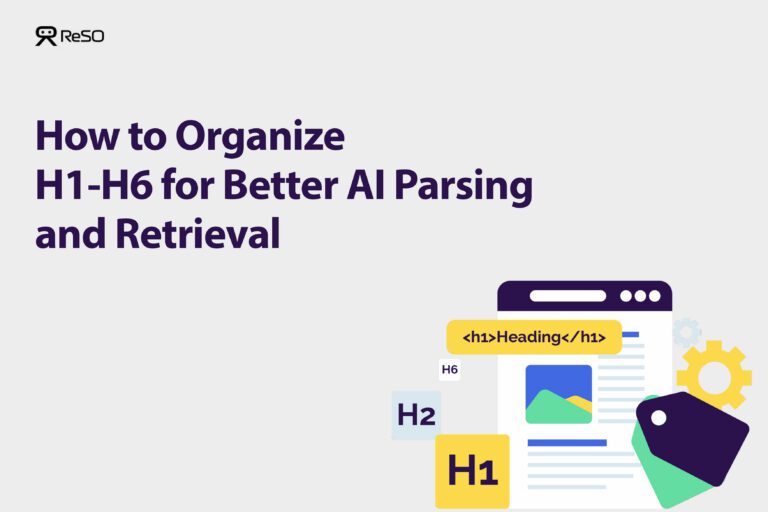




AI systems don’t read a page the way people do. They break it into sections, identify where ideas begin and end, and pull specific blocks that answer a question. In many cases, your heading structure determines what gets extracted and what gets ignored.
When headings are inconsistent, vague, or visually styled instead of structurally defined, the content may still rank, but it becomes difficult for AI systems to parse and retrieve. The result is familiar: strong content that never shows up in AI answers.
Clean hierarchy, question-aligned sections, and clearly separated concepts make your content easier to segment, verify, and cite. For AI search, headings are not a formatting choice. They are the map that tells the system what your page actually knows.
How Do You Optimize Headings for AI Extraction?
Follow these steps to restructure your headings for clear, logical, AI-parsable content. The goal is to create a predictable structure that signals where distinct ideas begin and end.
Step 1: Anchor Your Content with a Single H1 Tag
Use one, and only one, <h1> tag for the main title of your page. This tells an AI system the single, overarching topic of the entire document. While HTML5 technically allows multiple H1s, a single H1 provides the most unambiguous signal for topic definition.
Expected Result: Your page’s source code contains a single <h1> tag that accurately reflects the main subject.
Step 2: Maintain a Strict Hierarchical Order
- Arrange headings in strict, sequential order: <h1> to <h2> to <h3> to <h4>.
- Never skip a level, for example, by jumping from an <h2> directly to an <h4>.
AI systems rely on this logical progression to understand relationships between content chunks. Skipping levels breaks the contextual path, making it difficult for AI to determine how ideas relate.
Expected Result: Content flows logically from broad topics (H2s) to specific subtopics (H3s and H4s) without gaps in heading levels.
Step 3: Write Question-Based H2 Headings
Frame your <h2> headings as direct questions your target audience would ask. This aligns structure with user search intent and creates clear, answerable sections. Instead of a vague heading like “RAG Overview,” use a specific, entity-driven question like “What is Retrieval-Augmented Generation (RAG)?”
Expected Result: Main section titles are phrased as questions, such as “How Does X Work?” or “What Are the Limitations of X?”
Step 4: Place a Direct Answer Immediately After Each H2
Following each question-based <h2>, provide a concise 40-60 word answer in the first paragraph. This creates a highly extractable block that AI systems can use for featured snippets and AI-generated overviews. After the direct answer, expand with more detail, examples, and context.
Expected Result: The first paragraph under each H2 is a self-contained, quotable summary that directly answers the question in the heading.
Step 5: Assign One Core Concept Per Heading
Every heading (<h2>, <h3>, etc.) should map to a single, distinct concept. Avoid vague, catch-all headings like “Additional Information” or “Other Details.” These generic phrases provide no semantic value and make it difficult for AI to categorize the content chunk. Each heading should be descriptive and unique.
Expected Result: A scan of your headings reveals a clear outline, with each heading representing a specific, understandable subtopic.
Step 6: Use Semantic HTML Tags Correctly
Rely on proper HTML tags (<h1>, <h2>, etc.) to create your structure, not visual styling like bold text or larger fonts. AI systems parse the underlying HTML code, not the visual presentation on the screen. Using non-heading tags to create visual structure renders that structure invisible to an AI crawler.
Expected Result: Your content’s hierarchy is defined by H tags in the HTML, verifiable by inspecting the page’s source code.
How Can You Verify Your Heading Structure Is Optimized?
Once you’ve applied the steps above, verify your work with this checklist:
No Skipped Levels: Hierarchy flows from H1 to H2 to H3 without gaps
Single Concept per Heading: Each heading covers a discrete topic with unique text
Direct Answer Blocks: A concise answer appears immediately following each H2
Question-Based Phrasing: Headings align with user search intent
Unambiguous Context: The relationship between a sub-heading (H3) and its parent heading (H2) is logical and clear
What Heading Mistakes Reduce AI Extractability?
Many common practices from traditional content creation can actively harm your content’s performance in AI search. Avoiding these mistakes is as important as implementing the best practices.
1. Skipping Heading Levels (e.g., H2 to H4)
The most critical error. It breaks the logical path AI uses to map content, making section relationships ambiguous and corrupting contextual understanding.
2. Using Vague, Catch-All Headings
Titles like “Other Information” or “Final Thoughts” lack semantic meaning. They don’t map to a specific entity or concept, preventing AI from understanding section content and reducing retrieval chances for specific queries.
3. Having Too Many H2s
A page with ten or more H2s creates false semantic clustering. AI may struggle to identify primary versus auxiliary topics, diluting the page’s core focus. Aim for 3-5 primary H2s per page and use H3s for further subdivision.
4. Inconsistent Hierarchy
Using heading levels based on visual design rather than importance confuses context. For example, using an H6 for a product description but an H2 for a customer review sends conflicting signals about which content is more important.
5. Long, Keyword-Stuffed Headings
Overly long headings dilute semantic clarity. AI systems extract a single clear concept from each heading. Keep headings under 60 characters where possible.
How Does This Differ From Traditional SEO for Headings?
| Factor | Traditional Search (Google Crawler) | AI/LLM Systems |
|---|---|---|
| Primary Use of Headings | Keyword indexing and relevance ranking | Semantic chunking and contextual retrieval |
| Heading Structure Signal | Topic relevance: used for featured snippets | Hierarchical path for content boundaries and context scoring |
| Optimization Focus | Keyword presence and clear H1 | Structural integrity, entity mapping, and hierarchy depth |
| Impact of Skipped Levels | Minor; content still crawled and indexed | Major; can break chunking and corrupt context |
Quick Reference Checklist
- Is there only one <h1> on the page?
- Are heading levels sequential (no H2 to H4 jumps)?
- Are <h2> headings phrased as questions?
- Is there a 40-60 word answer after each <h2>?
- Does each heading represent a single, unique concept?
- Are all structural headings actual H tags in HTML?
If your content is well written but rarely shows up in AI answers, the issue is often structural, not topical. AI systems may not be able to parse, segment, or verify what your pages actually cover.
ReSO shows how your brand appears across platforms like ChatGPT, Perplexity, and Google AI mode, which prompts your buyers are asking, and where structure, content depth, or authority gaps are limiting visibility.
Book a call with ReSO to see where your content is being missed and what needs to change to get recommended where your buyers are actually searching.
Frequently Asked Questions
Can I still use keywords in my headings for AI optimization?
Yes, but focus on semantic relevance rather than keyword density. Your primary keyword should naturally appear in <h1> and relevant <h2> tags because they define the topic. The goal is clear, descriptive, question-based headings that accurately reflect content and align with user intent.
What happens if I use bold text instead of proper heading tags?
AI systems parse the underlying HTML code, not the visual presentation. Bold text or CSS styling that looks like a heading won’t be recognized as part of your content structure. Those sections won’t be properly chunked or contextualized, significantly reducing their extractability for AI-generated answers.