



AI systems cannot reference content they cannot reach. Before ChatGPT, Perplexity, or Google AI Overviews can retrieve information from a page, their crawlers must first discover the URL, access the HTML response, and successfully process the content. When the underlying infrastructure fails, visibility disappears regardless of how strong the writing or expertise may be.
In many cases, the problem is technical rather than editorial.
- Redirect chains waste crawler requests
- HTTP errors signal unreliable pages
- Confusing URL structures create duplicate or unreachable paths.
Traditional search engines may sometimes work around these issues; however, AI crawlers often abandon the request entirely. Understanding how URL structure, crawl behaviour, and infrastructure interact is therefore essential for AI search visibility.
Why Do URL and Crawl Problems Block AI Visibility Specifically?
AI crawlers operate under different constraints than Googlebot. They have stricter timeout thresholds, higher error abandonment rates, and less predictable recrawl schedules. A redirect chain that barely affects your Google rankings can make content completely invisible to ChatGPT, Perplexity, or Claude.
The numbers illustrate the gap. AI crawlers experience 404 rates exceeding 34%, compared to roughly 8.22% for Googlebot. ChatGPT’s crawler consumes over 14.36% of its crawl budget on redirects alone. These bots do not execute JavaScript, do not retry aggressively, and do not give second chances to URLs that waste their time. (Source: Vercel)
Three categories of problems cause the majority of AI crawl failures:
- URL structure issues that create unnecessary friction, duplicate paths, or invisible content. These include deep hierarchies, parameter-heavy URLs, fragment-based navigation, and non-descriptive slugs.
- Redirect chains and loops that consume crawl budget and cause bots to abandon requests before reaching the content.
- HTTP status code errors (4xx/5xx) and broken internal links that signal unreliability or create dead ends.
How Do You Audit Your Current AI Crawl Performance?
Before fixing anything, establish a baseline. Server logs are the authoritative data source because they record every request from every bot, including user-agent, requested URL, response code, and response time.
Step 1: Filter Server Logs for AI Crawler Activity
Extract all requests from AI crawler user-agents: ChatGPT-User, GPTBot, ClaudeBot, PerplexityBot, and CCBot. Create a categorized list of URLs that these bots are successfully fetching versus failing on. You need at least seven days of log data for meaningful pattern detection.
Step 2: Calculate Error and Redirect Rates
For the filtered AI crawler traffic, calculate three baseline metrics:
- 404 rate: Percentage of AI crawler requests returning 404. If this exceeds 25%, URL structure or link integrity is a serious problem.
- Redirect rate: Percentage of requests resulting in 3xx responses. Segment by chain length (single hop versus two or more hops).
- 5xx rate: Percentage of server errors. Any consistent 5xx pattern affecting AI crawlers requires immediate attention.
Step 3: Document URL Depth and Parameter Usage
Inventory your current URL patterns. Note the directory depth for key content types and list all unique URL parameters used for pagination, sorting, filtering, and tracking. Deep hierarchies (four or more subdirectory levels) and parameter-heavy URLs are prime candidates for restructuring.
Step 4: Cross-Reference High-Value Pages Against Crawl Data
List the pages that matter most for AI visibility. Cross-reference against your logs to identify which ones AI crawlers have never accessed. For each uncrawled page, investigate:
- Is it blocked by robots.txt?
- Is it the endpoint of a broken redirect chain?
- Does it have any internal links pointing to it?
Pages with zero inbound internal links are orphans, invisible to any crawler navigating your site structure.
How Do You Fix URL Structure Problems?
URL structure issues are the quietest visibility killers. The content exists, Google indexes it, but AI crawlers either cannot find it or waste budget on duplicate and unresolvable paths.
Flatten Excessive URL Hierarchies
A structure like /services/digital/seo/technical/audit/ forces crawlers through five directory levels. Compress to /services/technical-seo-audit/ where possible. Flatter hierarchies reduce crawl depth, making content discoverable in fewer hops. For pages that must remain deep in the hierarchy, compensate with direct internal links from higher-level pages and explicit sitemap inclusion.
Consolidate or Eliminate URL Parameters
- Dynamic parameters create multiple URL variations for identical content. A URL like /product?id=123&variant=A&sort=price&filter=color can generate dozens of permutations, each consuming crawl budget without delivering unique content. Replace parameter-driven URLs with static paths: /product/widget-pro-red/ instead of /product?id=123&variant=red.
- For parameters you cannot eliminate (pagination is a common case), standardize the order. Always use ?page=N&sort=price, never random combinations. Consistent parameter ordering presents a predictable pattern that reduces crawler confusion.
- Tracking parameters deserve special attention. URLs cluttered with ?utm_source=…&utm_medium=… appear as unique pages to crawlers. Move tracking data to HTTP headers or strip parameters server-side before serving responses to bots.
Replace URL Fragments with Static Paths
AI crawlers do not process content after a hash character.
A URL like example.com/#/about-us is effectively invisible. The crawler sees example.com/ and stops. Convert all fragment-based URLs to standard server-rendered paths: example.com/about-us/. This is particularly critical for single-page applications built with older frameworks that rely on hash routing.
Use Descriptive Keywords in URL Slugs
A URL like /blog/python-async-patterns/ provides semantic context that /blog/post/12847/ does not. Descriptive slugs help AI systems assess content relevance before committing to a full crawl. They also produce more meaningful entries in sitemaps and internal link structures. Include the primary topic keyword in the slug, keep it readable, and use hyphens to separate words.
Ensure Server-Side Rendering for All Key Content
AI crawlers do not execute JavaScript. If your content is rendered client-side via React, Vue, Angular, or similar frameworks, AI crawlers receive an empty HTML shell. The page source must contain all essential content in the initial server response. Implement server-side rendering (SSR) or static site generation (SSG) for every page you want AI systems to discover. This is non-negotiable.
How Do You Fix Redirect Chains and Loops?
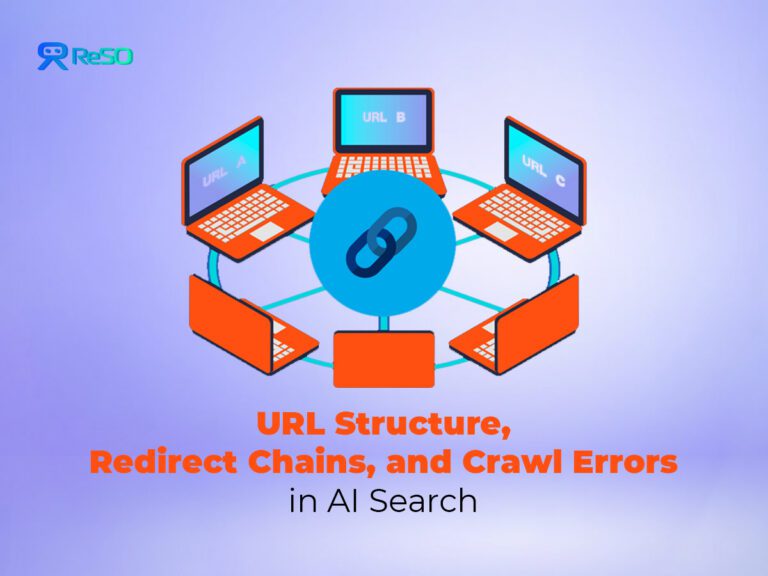
A redirect chain occurs when one URL redirects to another, which redirects again, and so on. Each hop consumes crawl budget and introduces a failure point. AI crawlers may abandon after two or three hops, never reaching the final destination. Redirect loops, where a URL redirects back to an earlier URL in the sequence, creates an infinite trap.
Diagnose Redirect Problems
Filter your server logs for all 301, 302, and 307 responses. For each redirecting URL, trace the path to its final destination and categorize by chain length. Separately document any circular references where a URL redirects back to an earlier point in the same sequence.
Then segment by AI crawler user-agents. For chains longer than two hops, check whether the AI crawler that initiated the request ever reached the final destination URL. A high abandonment rate at the second or third hop confirms that chains are actively blocking content from AI systems.
Each hop in a redirect chain also costs approximately 5% of link equity. A three-hop chain retains roughly 85.7% of the original signal. For pages where authority matters, this loss compounds. (Source – Conductor)
Fix Redirect Chains
1. Consolidate multi-hop chains to a single redirect
Modify the redirect rule for the first URL in any chain so it points directly to the final destination. A request to any legacy URL should resolve in one 301 redirect, not two or three.
2. Break redirect loops
Identify the misconfigured rule that creates the circular reference. Update it to point to the correct final content page. Test by manually following the redirect path to confirm it terminates at a 200 response.
3. Update all internal links
After consolidating redirects, find every internal link that points to a URL within a former chain. Update the href to the final destination URL. Leaving old internal links in place means bots still encounter an unnecessary redirect even after the chain is fixed.
4. Set up automated monitoring
Configure alerts for any new redirect chains exceeding two hops. Without ongoing monitoring, chains accumulate again during site migrations, CMS updates, and content reorganization.
How Do You Fix HTTP Errors Affecting AI Crawlers?
HTTP errors are direct signals of a broken or unreliable site.
- 4xx errors tell crawlers that content is missing or blocked.
- 5xx errors indicate server-side failures.
AI crawlers that repeatedly encounter errors may reduce their crawl rate for your entire domain, not only the error-producing URLs.
Diagnose HTTP Error Patterns
- Filter logs for all responses with status codes 400 or higher. Group by specific code (404, 403, 500, 503) and segment by AI crawler user-agent.
- Compare AI bot error rates against Googlebot error rates. A significantly higher rate for AI crawlers often reveals timeout-related issues or access control rules that affect bots differently than browsers.
- Identify which URL paths generate the most errors. Deleted product pages producing thousands of 404s, outdated /static/ asset references, or misconfigured access controls on entire directories are common patterns.
- Also check for soft 404s: URLs that return a 200 status code but serve error page content.
This waste crawl budget because the crawler processes a valueless page, and the misleading status code prevents automatic detection.
Fix 404 Errors
For pages that were permanently deleted, implement a 301 redirect to the most relevant alternative content and remove all internal links pointing to the old URL. For pages that should exist but are returning 404, restore the content or correct the URL configuration.
Legacy URLs that were previously indexed deserve extra attention. If an old URL still receives AI crawler traffic, a 301 redirect preserves link equity and sends the bot to useful content instead of a dead end.
Fix 403 Errors
Verify whether each 403 is intentional. If a page should be publicly accessible but is blocked by a misconfigured firewall, WAF rule, or overly broad Disallow directive, correct the access control.
For pages that are intentionally restricted but should be available to AI crawlers, use robots.txt Allow rules or X-Robots-Tag headers to grant access to verified bot user-agents.
Fix 5xx Errors
- Server errors require root cause investigation through application error logs.
- Common culprits include database connection failures, resource exhaustion under crawler load, and code bugs triggered by specific URL patterns.
- Fix the underlying issue, then monitor for recurrence. Intermittent 5xx errors tied to traffic spikes may require scaling or load-balancing changes.
How Do You Fix Broken Internal Links and Orphan Pages?
Internal links form the primary pathways crawlers use to discover content. A broken internal link pointing to a 404 page is a dead end. An orphan page with zero inbound internal links is invisible to any crawler navigating your site structure.
1. Audit and repair broken links
Use a site crawler to generate a complete list of broken internal links, showing both the source page and the 404 destination. On each source page, update the broken link to point to the correct, live URL.
2. Link orphan pages into the site structure
For each high-value page with zero inbound internal links, add a contextually relevant link from a related parent page. Orphan pages that exist only in the sitemap and have no structural links are less likely to be crawled by AI bots that rely on link traversal.
3. Shorten crawl depth for critical pages
If important pages are buried four or more levels deep, add direct links from higher-level pages like your homepage or main category pages. Fewer hops between the homepage and the target page means a higher probability of AI crawler discovery.
4. Point internal links to final destinations
Update any internal link that targets a redirecting URL to point directly to the final destination, eliminating unnecessary hops for every crawler that follows the link.
How Do You Optimize Your Sitemap for AI Crawlers?
Your XML sitemap is a direct instruction set for crawlers, and AI bots rely on it more heavily than Googlebot does for initial URL discovery.
1. Generate a clean sitemap with only canonical URLs
Remove old, redirected, or non-canonical URLs. Every URL in the sitemap should return a 200 status code.
2. Use a sitemap index file for large sites
If your sitemap exceeds 50,000 URLs, break it into smaller sitemaps referenced by a single index file. This enables parallel processing by crawlers.
3. Include lastmod and priority tags
Use <lastmod> to signal when content was last meaningfully updated. Use <priority> to indicate relative page importance. These tags guide crawlers toward your most valuable and freshest content.
4. Include de-orphaned and deep pages explicitly
Any page you surface through internal linking fixes should also appear in the sitemap. Belt and suspenders: structural links for crawlers that follow links, sitemap entries for crawlers that start from the sitemap.
How Do You Know the Fixes Worked?
Run a new log analysis two to four weeks after implementing changes. Compare against the baseline metrics from your initial audit.
| Metric | Target |
|---|---|
| AI crawler 404 rate | Below 15% (down from 34%+ baseline) |
| Redirect chains > 2 hops | Zero |
| Redirect loops | Zero |
| High-value pages crawled by AI bots | All priority pages appearing in logs |
| Broken internal links | Zero in the site crawl report |
| Orphan pages among priority content | Zero |
| Content visible in page source (no JS dependency) | All key pages pass |
Successful remediation shows up as more consistent crawling from AI bots across a wider range of your important pages. Monitor weekly for the first month, then monthly. Redirect chains and broken links accumulate naturally during site evolution, so quarterly audits prevent regression.
What Mistakes Should You Avoid?
1. Using 302 redirects for permanent URL changes
302 tells crawlers the move is temporary. They keep checking both the old and new URL indefinitely, consuming double the crawl budget. For permanent changes, always use a 301 to consolidate signals and preserve link equity.
2. Deleting broken links instead of fixing destinations
When you find a broken internal link, fix the destination or redirect it first. Removing the link without replacing it can orphan the target page, making it less discoverable.
3. Fixing redirects without updating internal links
Consolidating a chain does nothing if internal links still point to the old starting URL. Bots still encounter a redirect, and you still waste crawl budget on every visit.
4. Assuming all 403 errors are intentional
Verify with content owners. A misconfigured WAF rule or overly broad firewall setting could be blocking valuable public content from AI crawlers without anyone realizing it.
5. Ignoring URL parameters and fragments
Tracking parameters and hash-based navigation are invisible friction. They do not cause visible errors, but they waste crawl budget on duplicates and make content unreachable. Audit parameter usage as part of every crawl optimization cycle.
6. Keeping client-side rendering without SSR
If AI crawlers receive an empty HTML shell, no amount of redirect or link optimization matters. Server-side rendering is the prerequisite for everything else in this guide.
AI-Optimized URL Checklist
- Are URLs descriptive and contain relevant keywords in the slug?
- Is the URL hierarchy as flat as reasonably possible?
- Have all non-essential URL parameters been removed or consolidated?
- Are URL fragments replaced with server-rendered static paths?
- Does the server deliver fully rendered HTML for all key pages (SSR)?
- Are all redirect chains consolidated to single-hop 301s?
- Are all redirect loops resolved?
- Is the XML sitemap current, valid, and free of old or redirecting URLs?
- Are all internal links pointing to final destination URLs (no intermediate redirects)?
- Do all high-value pages have at least one inbound internal link?
If your content is not appearing in AI-generated answers, the problem is often infrastructure, not relevance. ReSO tracks how your site performs across ChatGPT, Perplexity, and Google AI, showing where technical gaps are blocking visibility. You can book a call to review how your site currently appears across these AI systems.
Frequently Asked Questions
1. How are AI crawlers different from Googlebot in handling redirects and errors?
AI crawlers have a lower tolerance for redirect chains than Googlebot. While Googlebot may follow five or more redirects, AI crawlers frequently abandon after two or three hops. AI crawlers also show 404 rates above 34%, compared to roughly 8% for Googlebot. The practical consequence is that technical debt tolerable for traditional SEO can eliminate content from AI-generated answers. Redirect and error optimization carries more weight for AI visibility than it does for Google rankings.
2. Do AI crawlers respect canonical tags or handle duplicate URLs automatically?
Official documentation from AI crawler providers does not confirm whether canonical tags or X-Robots-Tag headers are fully respected for URL consolidation. The safest approach is not to rely on canonical tags alone. Implement 301 redirects from all duplicate URL patterns to the single canonical version, and ensure internal links point only to the canonical URL. Treat canonical tags as a secondary signal, not a primary deduplication mechanism.
3. How long after making URL and redirect fixes will AI crawlers reflect the changes?
The timeline varies by crawler and is not officially documented. Based on server log analysis across multiple sites, expect new or corrected URLs to begin appearing in AI crawler logs within two to four weeks after updating the sitemap and implementing redirects. The only reliable way to confirm discovery is ongoing server log monitoring. There is no equivalent of Google Search Console for AI crawlers that provides a definitive crawl status report.
4. Is a soft 404 worse than a real 404 for AI visibility?
A soft 404 can cause more damage. A standard 404 sends a clear “not found” signal, which crawlers handle efficiently. A soft 404 returns a 200 status code while serving error content, which wastes crawl budget because the bot processes a full page only to find nothing useful. Repeated soft 404s on a URL path can lead AI crawlers to deprioritize that section of the site. Always configure error pages to return the correct HTTP status code.